Whether you are a hobbyist or a business owner, only by choosing a machine that suits you can you save your valuable time. But in today’s market, it is not easy to pick something you want! Don’t worry, TechPro has done extensive user research and we are a professional CNC routing manufacturer from China. Our team of experts will provide you with a practical and cost-effective CNC solution in the shortest possible time and free of charge.
Why choose TechPro as your guide?
In a market full of cutting tools, TechPro will be your trusted advisor, helping you find practical and cost-effective CNC solutions to save you time and money. Whether you are looking for a new CNC router or want to improve the performance of your existing equipment, we can provide you with a comprehensive comparison of prices and services to help you make an informed choice. Our business includes research and development, design, sales and manufacturing, and we have established a 24/7 customer service system to ensure that you receive expert support before, during and after the purchase. Choosing TechPro, you can not only enjoy the convenience of local services, but also receive our customized solutions, which can be easily delivered to your door.
Definition & Meaning
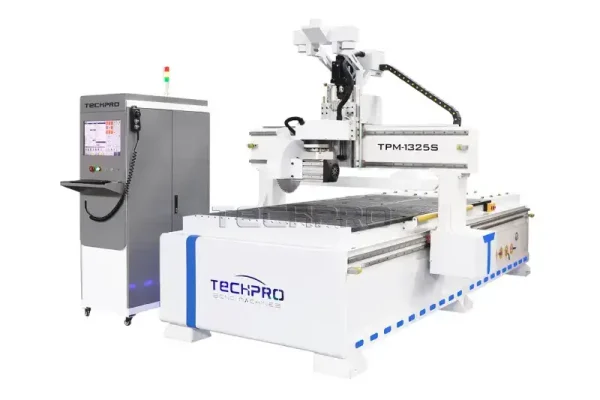
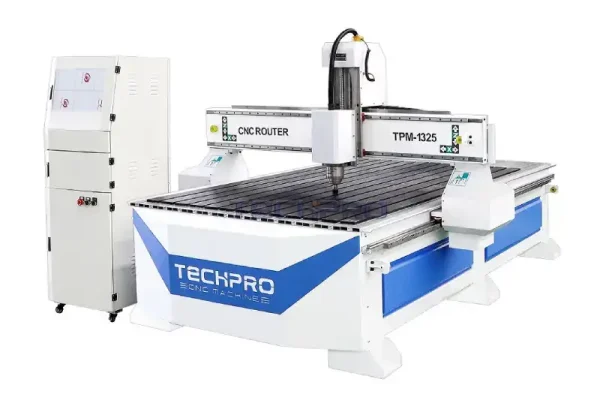
A CNC router is an automated cutting tool that uses computerized digital control to accurately control the movement of the X, Y and Z axes. It uses G-code commands to create tool paths using CAD/CAM software to precisely control the tool for cutting or milling. This effective material removal process is suitable for a variety of substrates, including wood, stone, plastics, metals and composites, and can be used to create fine patterns and designs to suit different needs.
The CNC Router can be used as a smart power tool kit and is compatible with a wide range of control systems such as DSP, Mach3, LinuxCNC and Syntec. It is suitable for a variety of industrial applications such as fine relief engraving, 3D milling and rotary engraving. It is suitable for a wide range of materials, from wood and aluminum to glass and acrylic. Unlike manual routers, CNC routers are automated through programming instructions, which simplifies the complex and efficient design process.
CNC router kits all contain all the essential components needed to build a computer-controlled engraving machine, including the control system, software suite, structural frame (frame, spindle, gantry, motor, drive, power supply, etc.) and cutting table, each of which works in tandem with each other to enable seamless operation. These kits automate tasks such as engraving, milling, and drilling of materials.CNC router kits are becoming increasingly popular among hobbyists and small businesses, producing detailed designs and prototypes with extreme precision and automation.
Technical Specifications
| Technical Specifications | Details |
|---|
| Brand | TechPro |
| Table Sizes | 2′ x 2′, 3′ x 4′, 4′ x 8′, 5′ x 12′ |
| Axis Options | 3 Axis, 4 Axis, and 5 Axis |
| Machining Capabilities | 2D Machining, 2.5D Machining, 3D Machining |
| Supported Materials | Wood, Metal, Stone, Foam, Aluminium, Plastic, Acrylic |
| Categories | Home Hobby Kits, Industrial Routers |
| Compatible Software | Vectric Aspire, AutoCAD, Rhino, Fusion 360, SolidWorks, MeshCAM, ArtCAM |
| Controller Options | Mach3, Siemens, Syntec, FANUC, DSP |
| Price Range | 3,000−3,000−155,000 |
| Customization (OEM Service) | X, Y, Z Axis Configurations |
| Optional Components | Dust Extractor, Rotary Tool, Vacuum Table, Cooling Systems, Servo Motors |
TechPro’s CNC Router is designed for precision, versatility, and reliability, making it a capable tool for hobbyists and professional craftsmen alike.
Types & Models
Choosing the right CNC router is critical to enhancing your business and showcasing your creativity.CNC routers are generally categorized by axis for a variety of applications. Below is a breakdown of common types to help you make an informed decision.
Home CNC Machine Kits
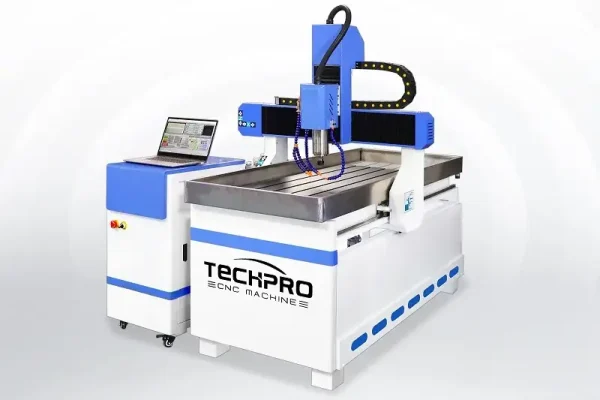
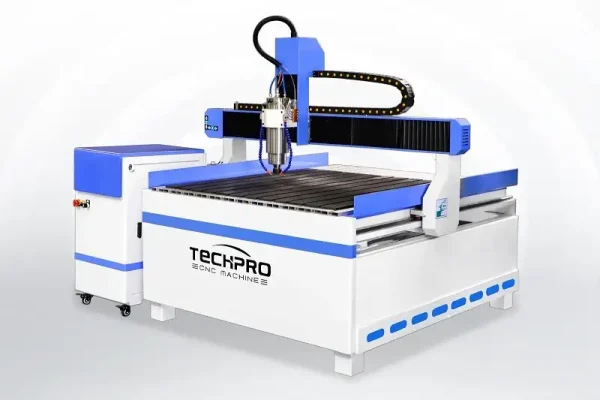
CNC router home kits include mini, compact, portable, desktop configurations, desktop models and desktop designs. These kits are small in size and offer excellent flexibility and ease of use, making them perfect for hobbyists and DIY enthusiasts.
Industrial Kits
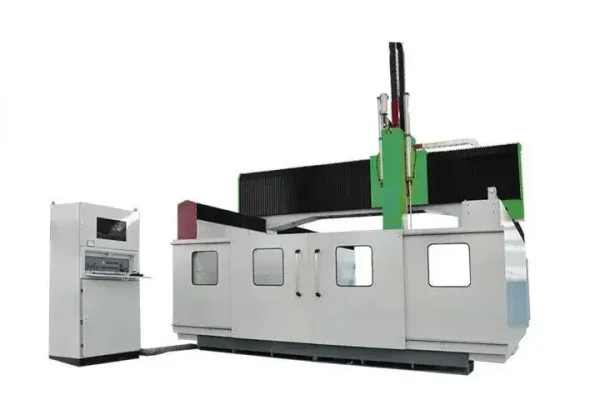
For more demanding tasks, rugged CNC router industrial kits are recommended, including woodworking mills, stone carvers, foam cutters, and aluminum mills. These kits are designed to handle larger projects and harder materials.
Axis Types
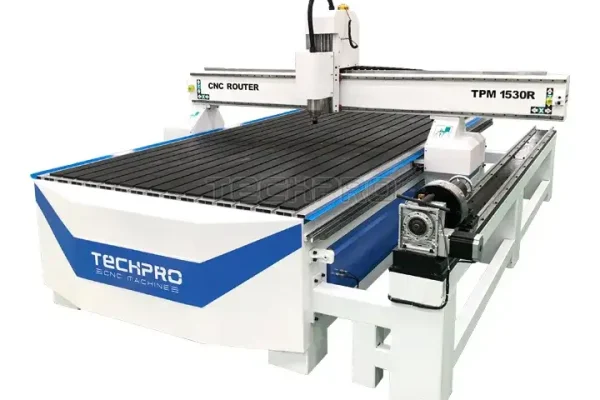
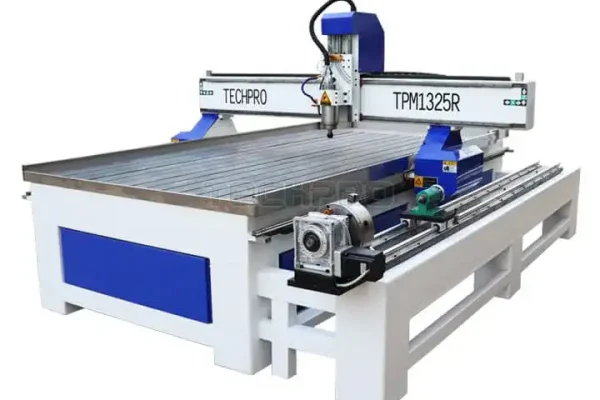
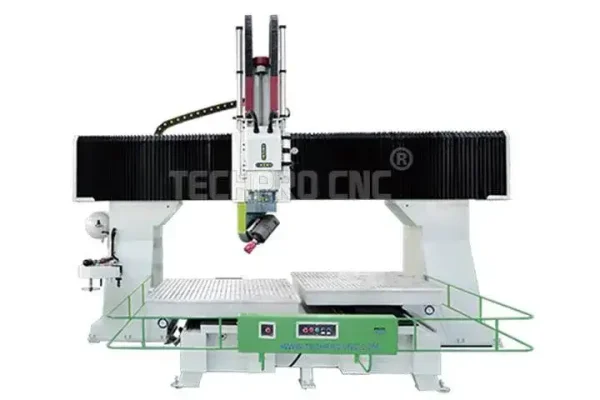
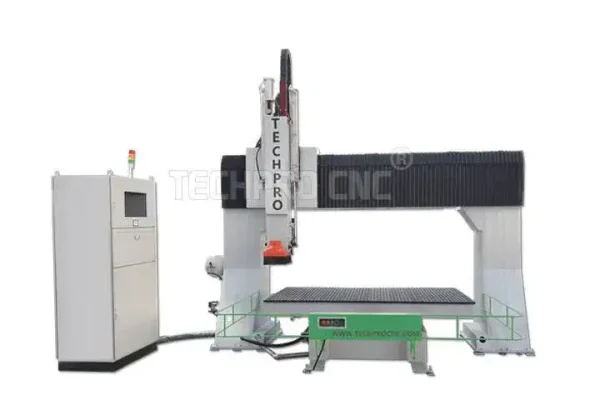
CNC routers are available in a variety of axis configurations, including 3-axis, 4-axis (rotary), 4-axis, 5-axis, and multi-axis options. Choose the right machine for your specific cutting and engraving needs.
Table Kits
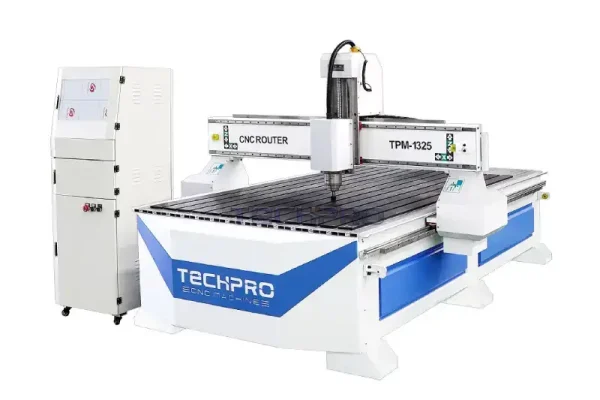
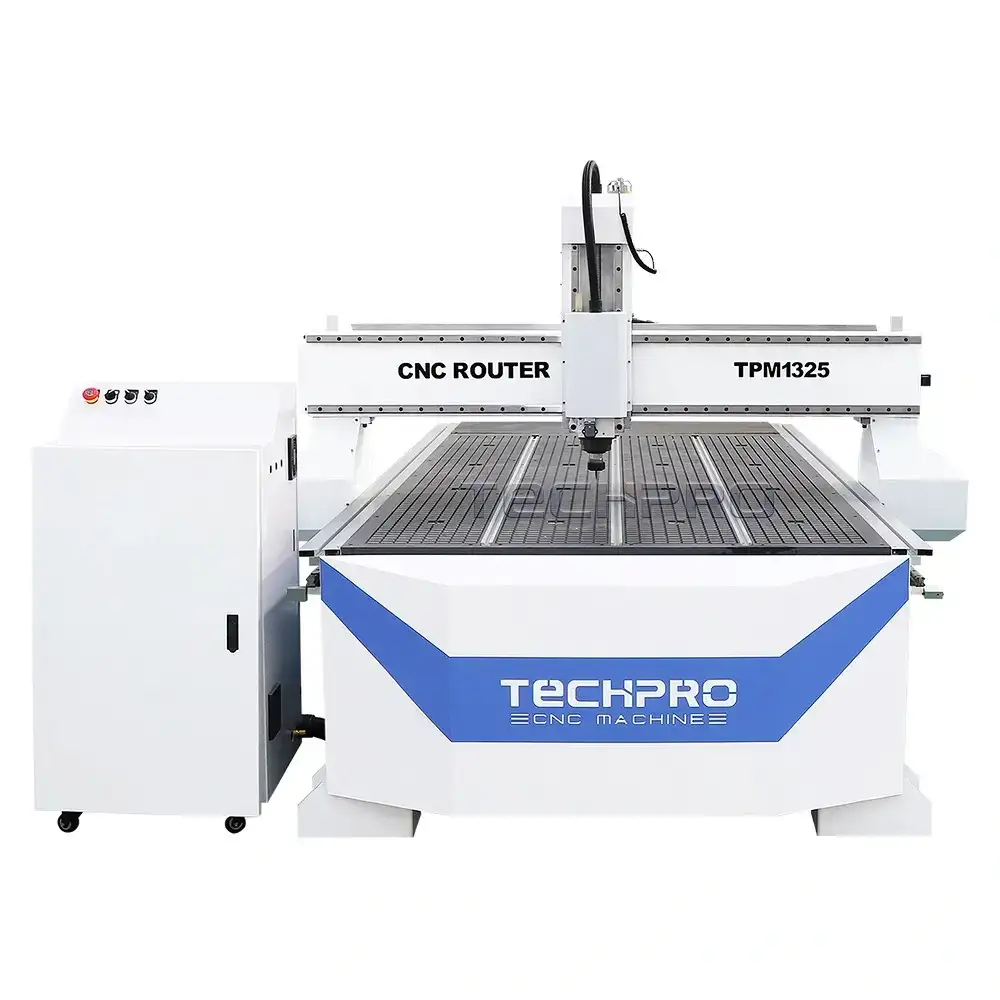
The CNC Router Table is a comprehensive kit that includes all the necessary components needed to assemble a fully functional table. Common sizes (in feet) for these workbenches include 2×2, 2×3, 2×4, 4×4, 4×6, 4×8, 5×10, and 6×12. In inches, these sizes are also referred to as 16×16, 16×24, 24×24, 24×36, 24×48, 48×48, 48×96, 60×120, 80×120, and more. For those who prefer metric sizes, table sizes can be referenced as 4040, 6040, 6060, 6090, 1212, 1218, 1224, 1325, 1530, 2030, and 2040 (mm).
For specific size comparisons, see the table below:
| Inches | Feet | Millimeters |
|---|
| 24″ x 24″ | 2′ x 2′ | 600 x 600 |
| 24″ x 36″ | 2′ x 3′ | 600 x 900 |
| 24″ x 48″ | 2′ x 4′ | 600 x 1200 |
| 48″ x 48″ | 4′ x 4′ | 1200 x 1200 |
| 48″ x 72″ | 4′ x 6′ | 1200 x 1800 |
| 48″ x 96″ | 4′ x 8′ | 1300 x 2500 |
| 60″ x 120″ | 5′ x 10′ | 1500 x 3000 |
| 72″ x 144″ | 6′ x 12′ | 2000 x 4000 |
Choosing Your Ideal TechPro CNC Milling Table
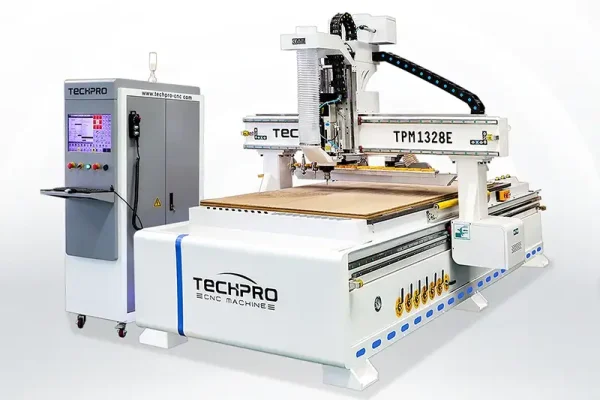
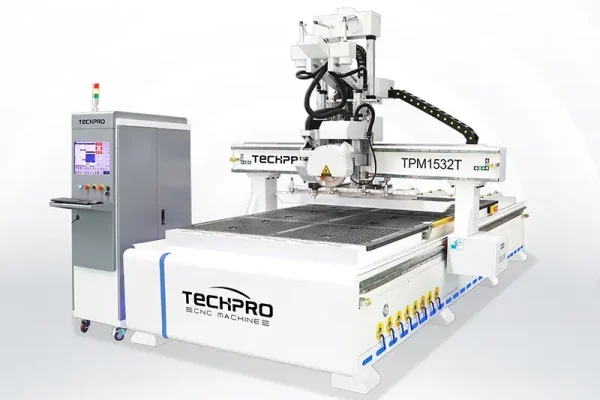
Individuals or hobbyists often prefer to purchase compact 2×3 or 2×4 CNC milling table kits that fit seamlessly on a tabletop. Craftsmen tackling smaller projects often opt for mid-sized 4×4 workbench kits. 4×8 models are the most popular full-size option to meet the needs of small business owners and industrial manufacturers. For special needs, TechPro offers customizable large format CNC mills in 5×10, 6×12, and other sizes, and we’ll provide a solution for your project at a generous price.
Working Principle
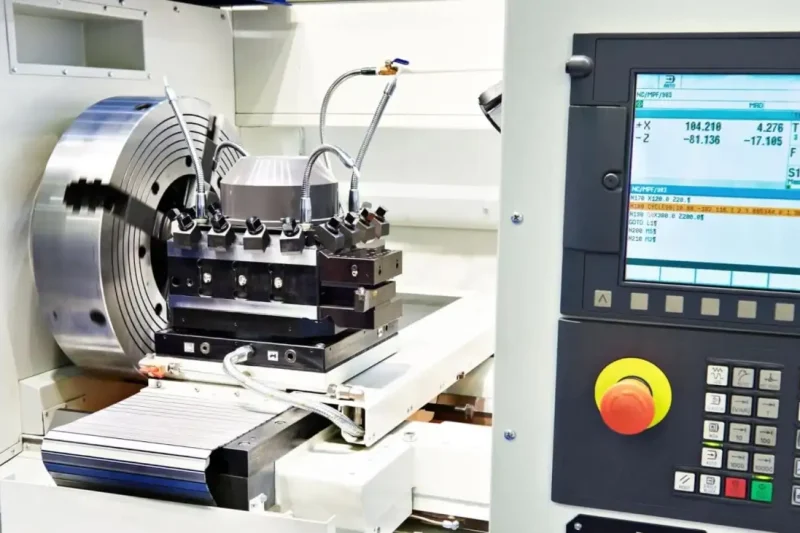
A CNC router is a precision computer-controlled cutting tool that automates tasks using at least three axes, X, Y and Z. This is more accurate and reliable than traditional handheld and digital routers. This is more accurate and reliable than traditional handheld and digital routers.The X-axis is horizontal, the Y-axis is vertical, and the Z-axis provides vertical motion relative to the other two axes. A computer controller interprets G-code or other machine language instructions to direct the tool movement. The spindle holds the tool and moves it along the X, Y and Z axes, following a tool path generated by the software.
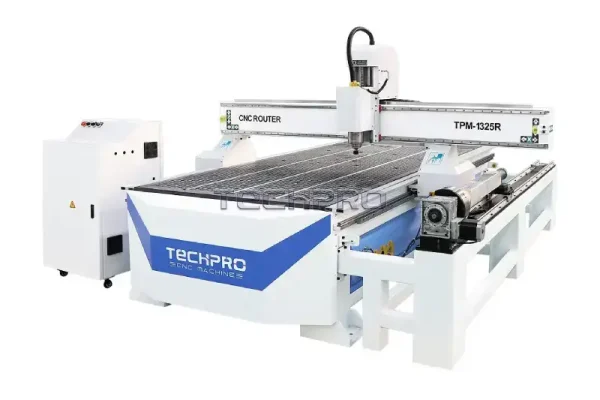
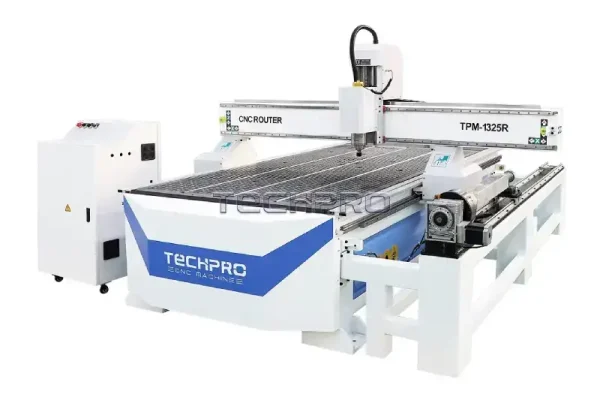
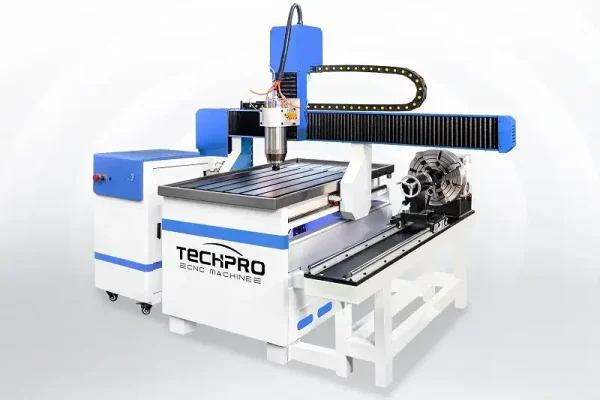
In a 3-axis machine, the tool remains vertical, thus limiting the possibility of undercutting. However, a 3-axis setup can include a rotary axis (4th axis) around the X, Y, or Z axes, which functions similarly to an automatic lathe. It is primarily used for cylindrical engraving and cutting projects as well as some 3D tasks.
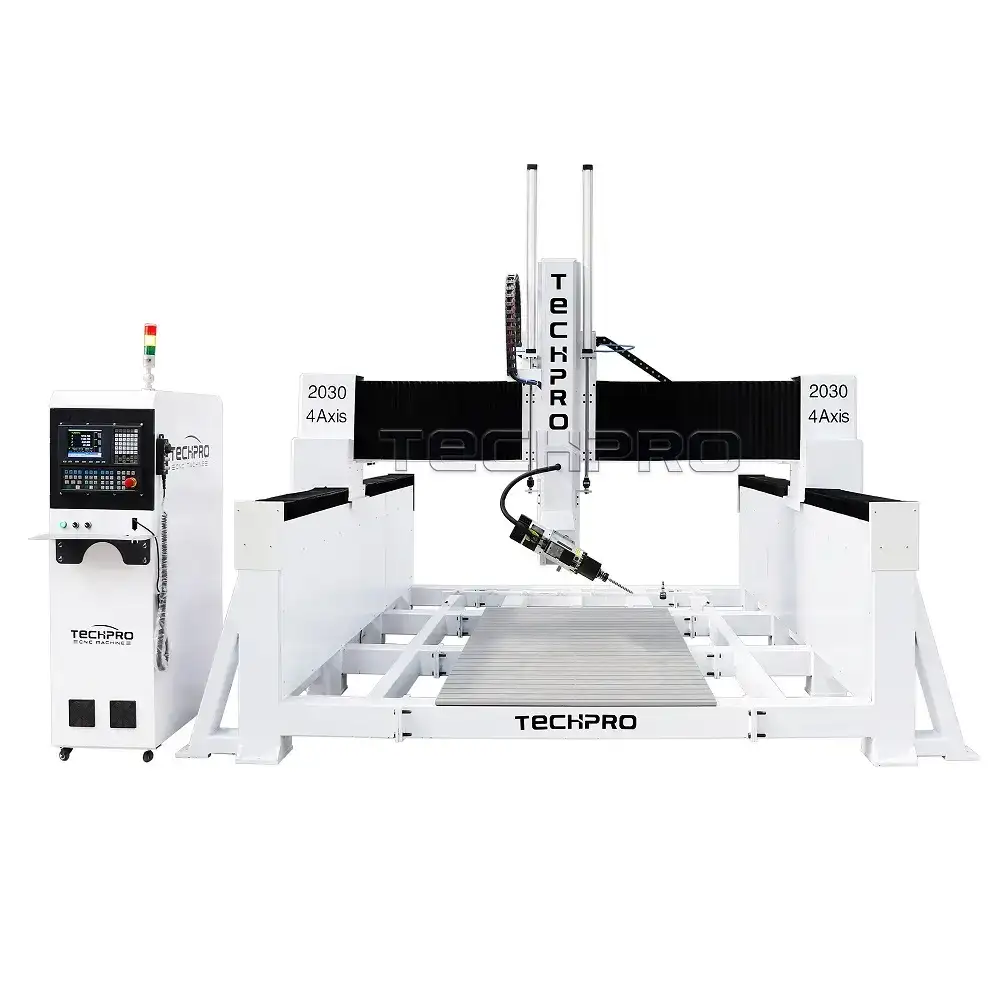
True 4-axis machines introduce an additional axis, denoted as XYZA, XYZB or XYZC, and all four axes can be run simultaneously.
The 5-axis models go a step further by adding two more axes, named X-Y-Z-A-B, X-Y-Z-A-C or X-Y-Z-B-C, enabling the machine to move tools along five different axes simultaneously. The spindle can be rotated 180 degrees from side to side, thus enabling the engraving of five sides of a material at the same time, greatly reducing project time. The position of the machine is determined by a computer which instructs the motor how much to move in each direction. Using this method of positioning, it is possible to accurately locate any position within the work area. Once the machine is connected to the computer, it can receive precise movement instructions.
First, the operator must create toolpaths using CAD (Computer Aided Design) and CAM (Computer Aided Manufacturing) software to draw shapes and determine the toolpaths the machine will follow.
Finally, choosing the right table size depends on your specific business needs and budgetary considerations.
Uses & Applications
CNC Router is used in various industries such as woodworking, sign making, abrasive manufacturing, furniture production, aerospace, etc. The presence of CNC Router greatly improves the production efficiency and its main application areas are as follows:
Woodworking
In woodworking, the CNC Router can create furniture, cabinets, fixtures and custom woodwork that can be finished in a variety of complex designs. Sign makers can use the CNC Router to produce precise channel letters and durable point-of-sale displays.
Manufacturing
In the manufacturing sector, the CNC Router is a key piece of equipment for orthopedics, jewelry making, model making and prosthetics production, allowing precise molds and parts to be carved quickly. They can produce and engrave directly on solid surfaces, enabling rapid prototyping and finished products.
Aerospace
The aerospace industry benefits from the precision and repeatability of CNC Router machines, which is essential for making parts to more exacting standards. Foam packing and tabletop production is simplified with these CNC routers, ensuring consistent quality and efficiency.
Metalworking
In the field of metalworking, they can handle tasks ranging from engraving to cutting, such as musical instrument making, tool templating, musical instrument manufacturing, store fittings and gun stock production, to name a few.
Applicable Materials
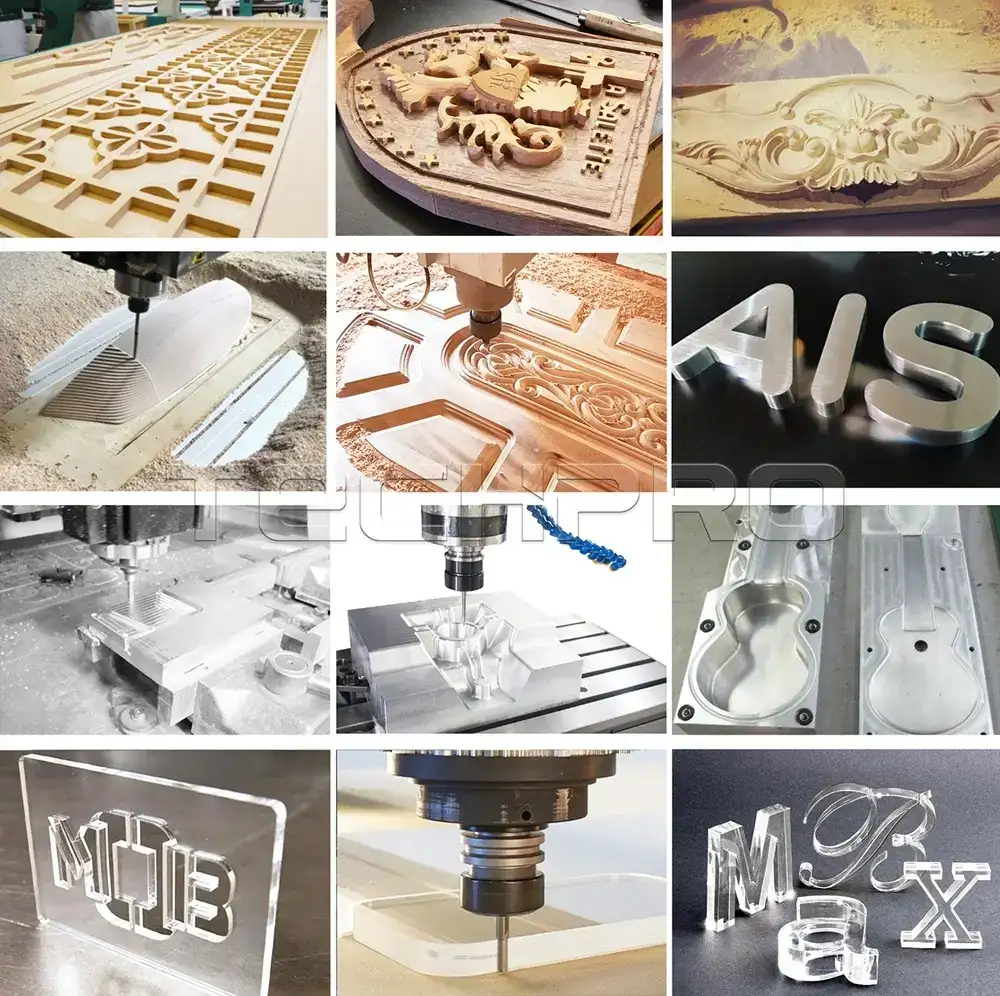
CNC routers can cut, carve, engrave, mill and shape a wide range of materials, from wood and plastic to stone and metal.
In woodworking, it can process solid and composite woods, including hardwoods such as cherry, oak and walnut, as well as softwoods such as pine and cedar. In addition to log processing, the CNC router can efficiently handle composite woods such as MDF and plywood, helping companies achieve efficient production of cabinets and furniture.
In plastics, the machine can handle common materials such as ABS, PVC and acrylic for cutting or engraving, and can be used for a variety of applications from signage to packaging.
For stone processing, the CNC router enables precise machining and efficient handling of stone, including granite and marble, to meet the needs of industries such as tombstone and tile manufacturing. It can also process metals such as aluminum and brass for applications ranging from aerospace components to artistic metalwork.
The CNC router can machine foam materials, including polyethylene and polyurethane, for packaging and modeling applications. Other materials such as fiberglass, leather and workable waxes can also be processed, making the CNC router an essential tool for industries ranging from the hobbyist to the professional manufacturer, from automotive to jewelry making.
Whether you are a hobbyist, a small business or a manufacturing facility, TechPro can provide the perfect solution for your needs and a CNC router at a great price, guaranteed to produce a professional-grade product.
Cost & Pricing
Are you considering upgrading from a handheld engraver to a CNC machine? It’s a great idea, but before we get started let me tell you about CNC router pricing. That’s because prices can vary widely between models and features – handheld carvers may start at as little as $100, while basic CNC carvers can cost up to $2,000.
For the DIY enthusiast, you can purchase a CNC engraver kit for less than $1,000. The price depends on the components and software you choose, making DIY CNC routers popular with hobbyists who like to put together their own machines.
Entry-level CNC routers are suitable for novices and those on a budget, with prices ranging from $2,380 to $5,080. They come with small workbenches and are perfect for small shops and emerging businesses.
For those who need more capacity, a full-size CNC router is better for you, offering a larger table with more performance for more than $6,800. These models have more machining capacity and are capable of meeting the demands of more demanding projects.
If you are a professional, then you should consider purchasing a top of the line commercial CNC router table, with prices ranging from $3,280 to possibly as much as $18,000. Despite their price tag, these machines offer excellent performance, work 24/7, and are very cost-effective.
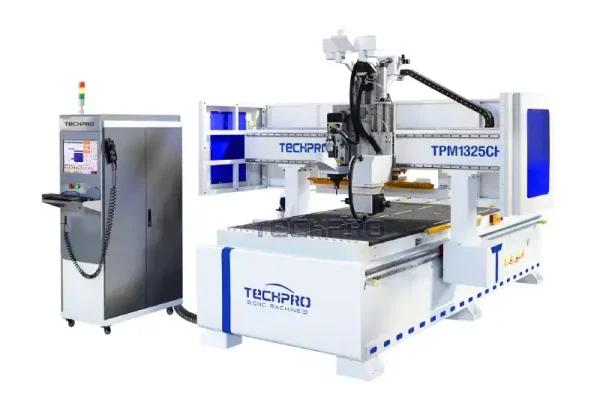
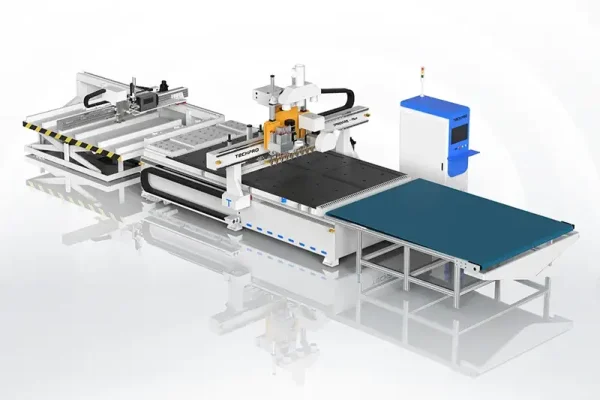
Industrial grade CNC routers are in another class altogether, ranging in price from $16,000 to $150,000. These machines typically have advanced features such as automatic tool changers, automatic feeders, and multi-axis capabilities to meet the needs of large businesses and industrial applications.
The cost of a TechPro CNC router is affected by a number of factors, including parts, table size, features, and build quality. Customer service and support provided by the manufacturer may also vary, affecting the overall expense.
When purchasing internationally, consider additional costs such as taxes, shipping, and duties, which may affect the final price depending on your location and specific business needs.
If you have questions about costs or seek a quote for the latest CNC machinery, please contact our customer service staff and we will account for the best price for you in the shortest possible time.
Choose the best budget
| Types | Minimum Price | Maximum Price | Average Price |
|---|
| Wood | $2,600 | $38,500 | $5,700 |
| Metal | $5,100 | $24,000 | $7,300 |
| Foam | $6,800 | $181,000 | $11,500 |
| Stone | $2,900 | $34,000 | $6,600 |
| Nesting | $9,100 | $56,500 | $15,500 |
| 3 Axis Types | $2,400 | $23,000 | $5,300 |
| 4th Rotary Axis Types | $2,600 | $26,200 | $6,200 |
| 4 Axis Types | $23,000 | $38,000 | $26,500 |
| 5 Axis Types | $81,000 | $151,000 | $102,000 |
Parts & Accessories
Parts and Accessories
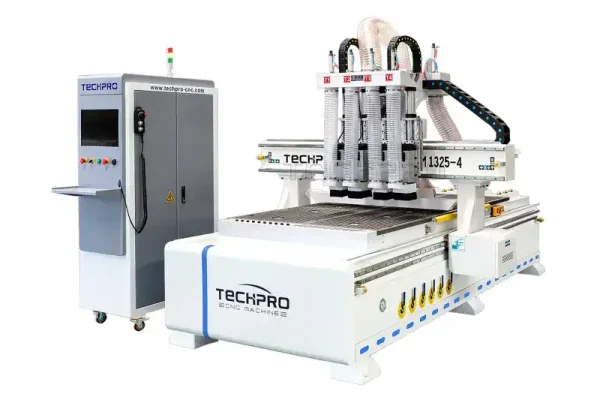
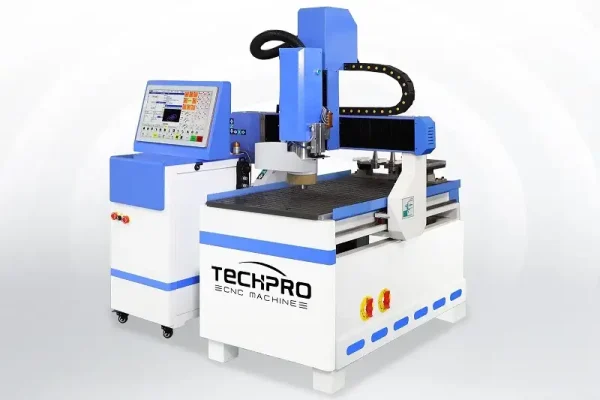
A CNC router system consists of a number of key components, including the frame, a variety of X and Y table options (T-slotted or vacuum table), spindles, gantries, ballscrews, sliding guides, vacuum pumps, drives, motors, controllers, operating system, software, collets, rotary fourth axis, limit switches, power supply, and rack and pinion. the superiority of the TechPro CNC suite comes from the components and the advanced software technology behind them.
The Heart of the CNC Router
At the heart of a CNC router is the spindle, designed for high speed cutting, milling, engraving and drilling. Our machines are equipped with high-performance spindles that excel in precision machining. The spindle generates heat during rapid rotation, which can affect the life of the spindle if not handled properly. Therefore high performance spindles should be equipped with efficient water or air cooling systems to ensure optimum performance and durability. If you are considering purchasing a new CNC router, then this should be included as a filter.
How to choose the right spindle?
The hardness and viscosity of the material will affect the spindle speed. Harder materials require slower speeds to avoid damage to the bit, while lower hardness lends itself to higher speeds. The diameter of the tool is also an influencing factor; larger tools require slower spindle speeds. The power curve of the spindle motor is also a key consideration in selecting the right spindle to ensure that the power output is sufficient for effective cutting and long tool life.
Machine bed
High power operations require a sturdy bed to provide accuracy and stability. For long term high power machining, a sturdy bed frame should be considered for your machining equipment.
CNC Controller
CNC controller systems consist of two types: one utilizes a computer to perform all calculations, keeping the computer involved during the machining process, and the other uses a single board computer that allows the main computer to handle other tasks. This flexibility in controller systems is especially beneficial for expanding operations. Commonly used CNC controller systems include DSP, Mach3, Ncstudio, OSAI, LNC and Syntec.
Ball Screws and Guideways
The use of high quality ballscrews and guideways ensures accuracy and performance during machine use and ensures that the machine’s accuracy remains stable after a long period of use.
Workbench Kits
There are two main table kits for CNC routers: the T-slot table and the vacuum table.
T-slot tables require manual fixing, while vacuum tables offer automatic fixing, saving time and increasing safety.
The Vacuum Table, with its robust vacuum pump and high quality circuit boards, is ideal for large area flatbed machining and provides enhanced fixing through zoned vacuum.
Software
TechPro offers a range of software solutions, from free to premium versions, to suit every need. Our popular software includes Type3, ArtCAM, Aspire, AutoCAD, Cabinet Vision, CorelDraw, UG, Solidworks, PowerMILL and Fusion360, each with unique features to maximize the potential of your CNC router.
TechPro CNC Router User Guide
How to use a CNC router is a concern that most people may have, but it is not difficult to get started with it. Anyone can easily start it up and perform precise operations as long as they follow the steps. The detailed guide we have put together below will help you operate your CNC router smoothly and safely.
Step 1: Power On
- System Initialization: Begin by turning on the control computer and monitor. Launch the software to get the system ready.
- Machine Activation: Press the main power switch on the CNC router.
- Cooling Check: Ensure that the cooling system for the spindle motors is functioning properly and that there is sufficient water.
- Daily Lubrication: If this is your first use of the day, start the lubrication system once to make sure all moving parts are well lubricated.
- Home Positioning: Use the software to return the machine to its home position to prevent any accidental collisions.
- Axis Movement: Manually move each axis to its maximum range to ensure everything runs smoothly.
Step 2: Secure the workpiece
- Prepare base: Place cushioning material in the center of the table.
- Place Material: Place the workpiece on the cushioning material and prepare it for machining.
- Clamp securely: Use at least four clamps to hold the workpiece firmly in place.
- Double check: Make sure the workpiece is securely clamped and will not move during operation.
- Setting the home position: Determine the home position of the workpiece by
- Move the spindle closer to the material.
- Start the spindle.
- Gently touch the workpiece using a precise single-step motion.
- Zeroing the workpiece coordinates or recording the machine coordinates.
- Retracting the spindle safely.
Step 3: Tool Change Procedure
- POWER SAFETY: Ensure machine power is turned off before changing tools.
- OPERATING POSITION: Move the spindle to a position where it is easy to change the tool and place soft material under the tool.
- TOOL REMOVAL: Use a small wrench to hold the spindle in place and a large wrench to loosen the chuck nut to remove the tool.
- CHUCK MAINTENANCE: If necessary, replace the chuck, making sure it is clean and free of debris.
- CHECKING NEW TOOLS: Check new tools for damage before installing.
- Install the tool: Insert the tool into the chuck to ensure it is securely clamped.
- Tighten carefully: Use a wrench to tighten the chuck nut, taking care not to damage the tool.
- Final check: Remove all wrenches, restart the machine and reset the Z-axis home position.
Step 4: Program Execution
- Pre-Run Checklist:
- Verify that the tool is securely clamped.
- Verify workpiece home setting, especially after tool change.
- Make sure the workpiece is securely clamped.
- Load the correct CNC program.
- FIRST RUN: Set the feed rate multiplier to 30% and start running the program.
- Monitor and Adjust: After confirming that there are no problems, adjust the feed rate to the normal operating speed.
- Continuous Monitoring: During operation, be sure to arrange someone to monitor the machine.
Step 5: Shutdown the machine
- Return to Home: Move the machine back to the home position.
- TOOL REMOVAL: Remove the tool, leaving the chuck nut on the spindle if desired.
- Power Off: Turn off the machine.
- Complete Shutdown: Finally, shut down the computer, making sure this is the last step.
This guide applies to most CNC routers on the market. By following these steps, you will be able to operate your TechPro CNC router with ease and accuracy. Remember, proficiency comes from practice, and soon you will be able to operate your machine like a seasoned pro.
Router Bits & Tools
The success of CNC milling depends largely on the correct mounting and operation of the milling cutter. If not mounted correctly, it not only accelerates wear, but also reduces cutting accuracy and complicates the milling process.
The following are best practices for proper installation of milling cutters and tools:
- DRILL INSPECTION: Before installing, carefully inspect the drill for signs of wear or damage, such as nicks. Replace or repair bits as needed to ensure accurate cuts for optimal performance.
- Surface Preparation: Prior to installation, ensure all relevant surfaces are clean and free of dirt and burrs. Remove any stains that may affect the accuracy of the tool installation.
- Accurate Clamping: When clamping the tool with washers, ensure that the ends are parallel. If the cutter head appears to be skewed after installation is complete, adjust the position of the washers to minimize errors and ensure stability during operation.
- STRAIGHT SHANK MOUNTING: For straight shank milling cutters, use a collet chuck for mounting. Tighten the nut and radially compress the collet sleeve to secure the milling cutter shank.
- Taper Shank Installation: If the taper shank of the milling cutter matches the tapered hole in the spindle, it can be inserted directly and secured with a drawbar. If they do not match, use a transition taper sleeve for proper installation.
- Fixing the cutter holder: After inserting the cutter holder into the spindle, fix the drill with the fastening screws. Make sure that the direction of rotation of the drill is the same as the direction of the threads of the tie rods to prevent the milling cutter from loosening during operation.
- Optimal drill positioning: Place the drill as close as possible to the spindle bearing without interfering with milling. Similarly, position the hanger bearing near the drill. If the drill is far from the main bearing, install a rack bearing between the spindle bearing and the milling cutter.
- KEY HOLDING: Hold the key during installation. Without a key, uneven forces during milling or heavy-duty cutting can cause the bit to slide, which can put excessive stress on the cutter shaft and result in bending or damage.
- FINAL CHECK: After installation, recheck all washers and nuts to make sure they are secure. Use a micrometer to check that the radial runout or end runout of the bit is within acceptable limits.
- PROPER STORAGE: When removing the tool shaft, hang it on a shelf to prevent bending or distortion. If they need to be stored horizontally, pad them with wood chips or soft material to prevent scratching and distortion.
This ensures the longevity and performance of your CNC milling cutters, optimizing your milling projects for accuracy and reliability.
Buyer’s Guide
By reading the above guide, you should have a basic understanding of CNC routers in your mind, so how do you determine what kind of router is right for you?
Step 1: Determine Your Needs
Determine your primary use for a CNC router. For small projects, a compact or mid-sized TechPro engraver can efficiently complete most woodworking projects and will last a long time with proper maintenance. However, if you run a business that requires rugged wood carving on a daily basis, then it is recommended that you choose a heavy-duty CNC router that can withstand continuous use.
Step 2: Master Assembly
TechPro’s CNC routers come with detailed assembly instructions, so you can try to install them yourself as this will give you a better understanding of the machine’s architecture. If you find the installation steps more complicated, don’t worry, we have professional after-sales staff to help you assemble the machine.
Step 3: Choose according to the material
CNC routers are versatile enough to cut not only wood, but many models can easily cut through materials such as plastic and aluminum. For those who need to work with hardwood or metal, we recommend the heavy-duty option. Be sure to match the machine’s performance and schedule to the materials you’ll be working with to ensure optimal performance.
Step 4: Explore Other Features
CNC routers often have advanced features like laser engraving as a way to improve the accuracy and detail of your designs. Evaluating these additional features can also be a factor in increasing your productivity.
Step 5: Consider the Budget
While there are many factors to weigh, budget is key to the final decision to buy both. Conduct thorough research to find out which machine models are within your budget. Balancing cost and quality will ensure you make an informed choice, and if you can’t make a final choice, contact our sales team and we’ll give you a complete solution, and got a professional chinese CNC router.
Troubleshooting & Maintenance
Troubleshooting
When operating a CNC router, you may encounter a variety of problems. If the performance of the machine decreases, you need to find out the root cause in time to avoid a drop in productivity. Below is a guide to common problems and their solutions.
Alarm Faults
Overtravel Alarm
An overtravel alarm indicates that the machine has reached its limits during operation. Follow the steps below for troubleshooting:
- Verify that the design dimensions do not exceed the machine’s machining capacity.
- Check the connection between the motor shaft and the screw. Tighten any loose screws.
- Ensure that both the machine and computer are properly grounded.
- Verify that the current coordinate values remain within the software limit settings.
Overtravel Alarm Release
- If an overtravel occurs, all axes of motion will automatically switch to pointing mode. Press and hold the manual direction key to guide the machine back from the limit position and resume normal operation.
- When adjusting the table, make sure the direction of motion is away from the limit position.
- Reset the soft limit alarms for the X, Y and Z axes in the coordinate setup.
Non-Alarm Faults
- Inconsistent Processing Accuracy: For repetitive accuracy problems, rerun the troubleshooting steps listed previously.
- Machine not responding: If the computer is running but the machine is stationary, check the connections between the control card and the electrical enclosure.
- Tighten any loose connections.
- Home signal not found: If the machine is having difficulty detecting a home signal, check the function of the proximity switches.
Output error
- If the output is not present, check the connection between the computer and the control box.
- Make sure there is enough space in the Route Manager settings; delete all unnecessary files.
- Check that the signal cable is secure and properly connected to the system.
Routing Failure
- Check for loose screws in various components.
- Verify the accuracy of the toolpath being processed.
- Ensure that the file size is within the range that the machine can handle.
- Adjust the spindle speed to the material requirements, usually between 8000 and 24000 rpm.
- When securing tools, make sure they are positioned correctly for smooth machining.
- If tools show signs of damage, replace them immediately to maintain workflow.
Maintenance
Regular maintenance extends the life of your TechPro CNC machine. Below are maintenance tips summarized by our technical team with extensive experience in CNC machining:
Spindle – the core component
- Lubrication: Use filtered oil to prevent contamination and ensure effective oil-air lubrication. Regularly check oil levels and replenish as needed, and clean filters regularly.
- Cooling: Whether using a water-cooled or air-cooled system, maintain proper cooling methods. Check coolant levels regularly and replenish as needed.
- OPERATING STANDARDS: Operators should familiarize themselves with spindle specifications, including power and speed ratings, to avoid overloading the spindle. Always follow the guidelines listed in the operator’s manual.
TechPro Controller Box
It is critical that the controller box be cleaned of dust buildup on a regular basis.
- Always turn off the power before cleaning and make sure the inverter display is inactive and the main power indicator is off.
- Excessive dust can lead to electrical problems and fire hazards.
Drive components
At the end of each day’s operation, clean dust from the guide rails and ball screws. Machines with automatic lubrication should check the oil level in the rack and screw, while machines requiring manual lubrication should be maintained every 3-5 days with an appropriate lubricant.
NOTE: In colder temperatures, clean the rods and guideways with gasoline before applying oil to them to prevent excessive resistance that could cause misalignment.
Motorized Drive
CNC machines can be equipped with stepper motors, hybrid servo motors or pure servo motors. If you hear an unusual noise during operation, stop the machine immediately. Troubleshoot manually to locate the source of the noise before contacting maintenance or the manufacturer for necessary repairs or motor replacement.
By following these troubleshooting and maintenance guidelines, your TechPro CNC machine will provide reliable performance and durability, ensuring efficient operation on all projects. If you are unable to troubleshoot your machine, please contact our after-sales service staff and we will resolve the problem as soon as possible.








 English
  Turkish
  French
  German
  Vietnamese
  Italian
  Dutch
Dutch  Afrikaans
  Korean
  Spanish
  Polish
  Indonesian
  Japanese
  Russian
  Hindi
Hindi  Danish
  Finnish
  Thai
Thai  Chinese
  Bulgarian
  Czech
Czech  Hebrew
  Arabic
  Portuguese
  Swedish
  Hungarian
  Croatian
  Slovak
  Norwegian