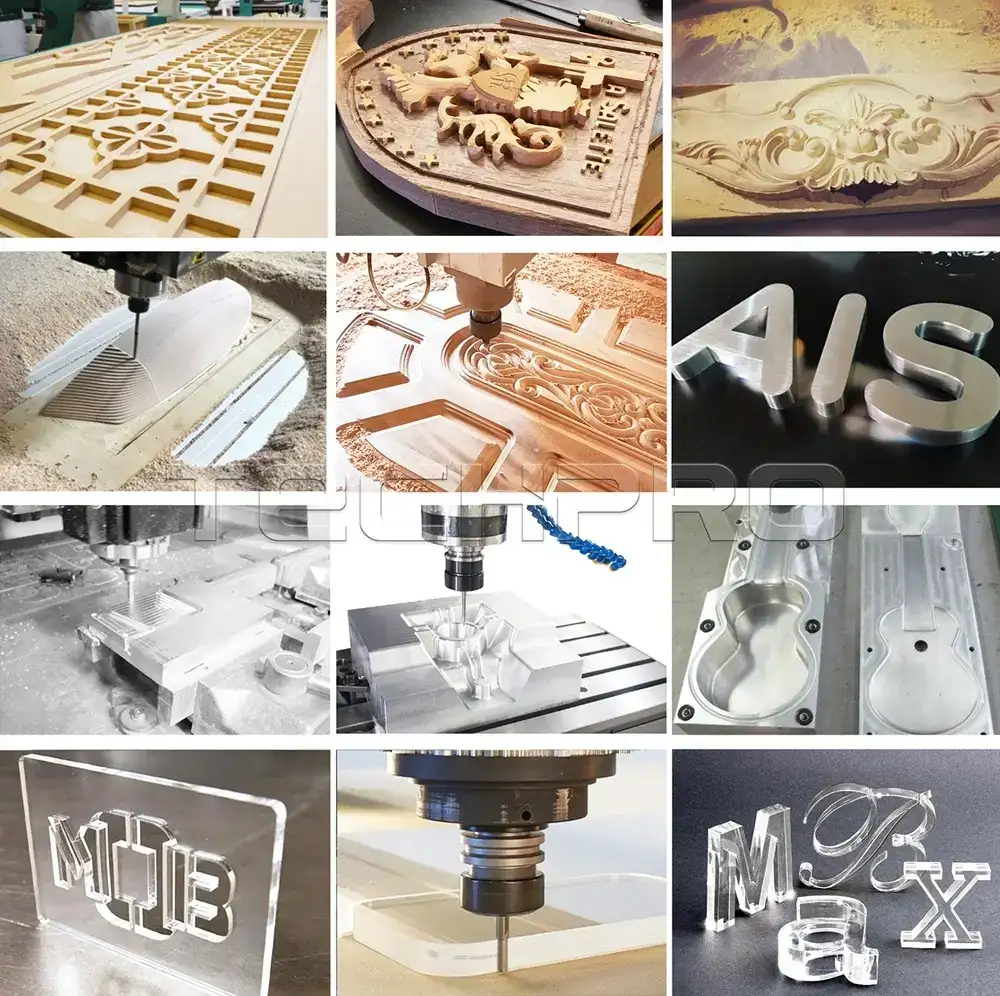
Modern manufacturing is all about saving time, maximizing precision, and boosting profitability. Whether you’re a hobbyist, small business owner, or industrial manufacturer, a high-quality CNC router machine is the ultimate tool to achieve professional-grade cutting, carving, and engraving on wood, metal, and more. We understand that choosing the right computer numerically controlled (CNC) router kit for your business—especially as a beginner—can feel overwhelming. That’s why TechPro, with 17+ years of CNC manufacturing expertise, has created this comprehensive, well-organized guide to help you find the perfect CNC router for your needs, whether you’re a hobbyist or a professional enterprise.
Interested? Let’s dive in.
Why Choose TechPro as Your CNC Router Manufacturer?
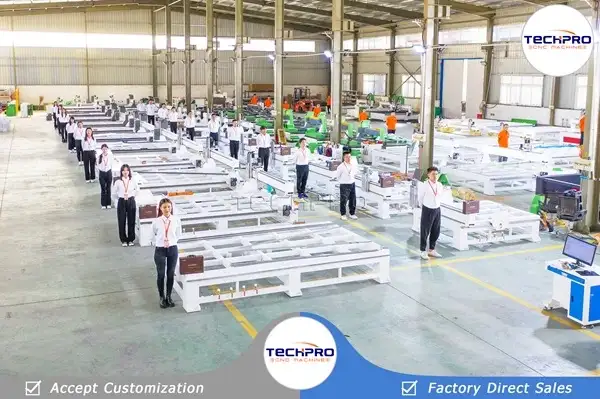
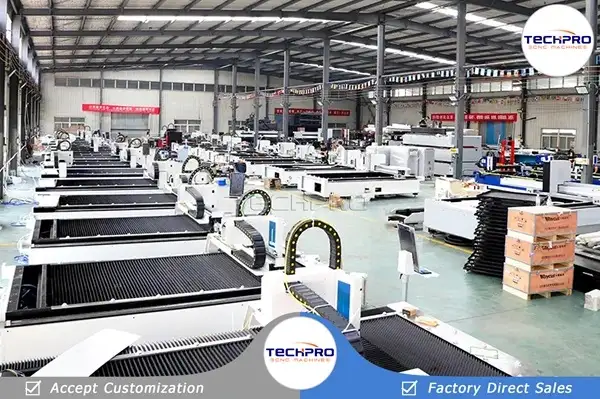
The global CNC router market is flooded with thousands of cutting tools, making it challenging to select the right machine for your unique needs. As a trusted CNC machine manufacturer with 17+ years of industry expertise, TechPro is your reliable partner and guide throughout the entire buying journey.
We offer a full range of practical, cost-effective automatic CNC router machines, designed to meet the needs of hobbyists, small businesses, and industrial manufacturers alike. Unlike middleman suppliers, we integrate R&D, design, manufacturing, sales, and service in-house, ensuring you get factory-direct pricing, custom solutions, and unbeatable support. Our 24/7 global online & offline service system covers pre-sale consultation, in-sale support, and after-sales maintenance, so you never have to worry about post-purchase assistance. You can even order fully custom CNC routers with free design support from TechPro, and we offer door-to-door delivery and installation services in most regions—eliminating the hassle of local sourcing.
Definition & Meaning of CNC Router Machines
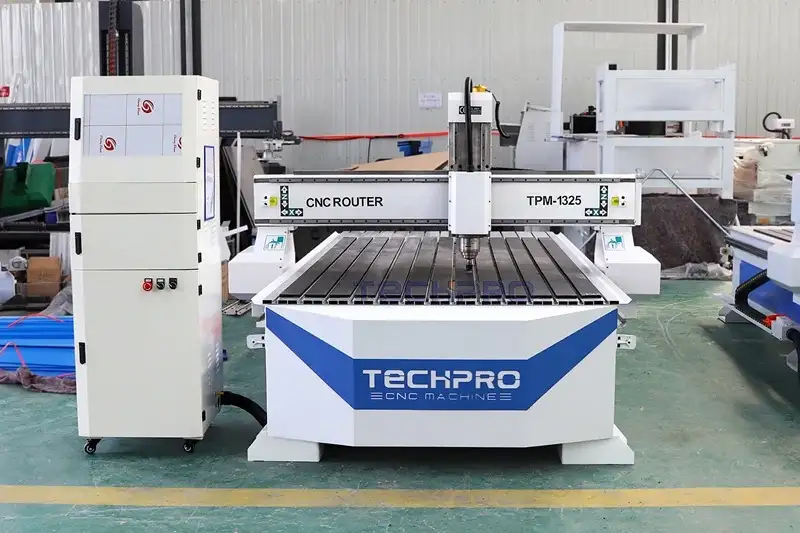
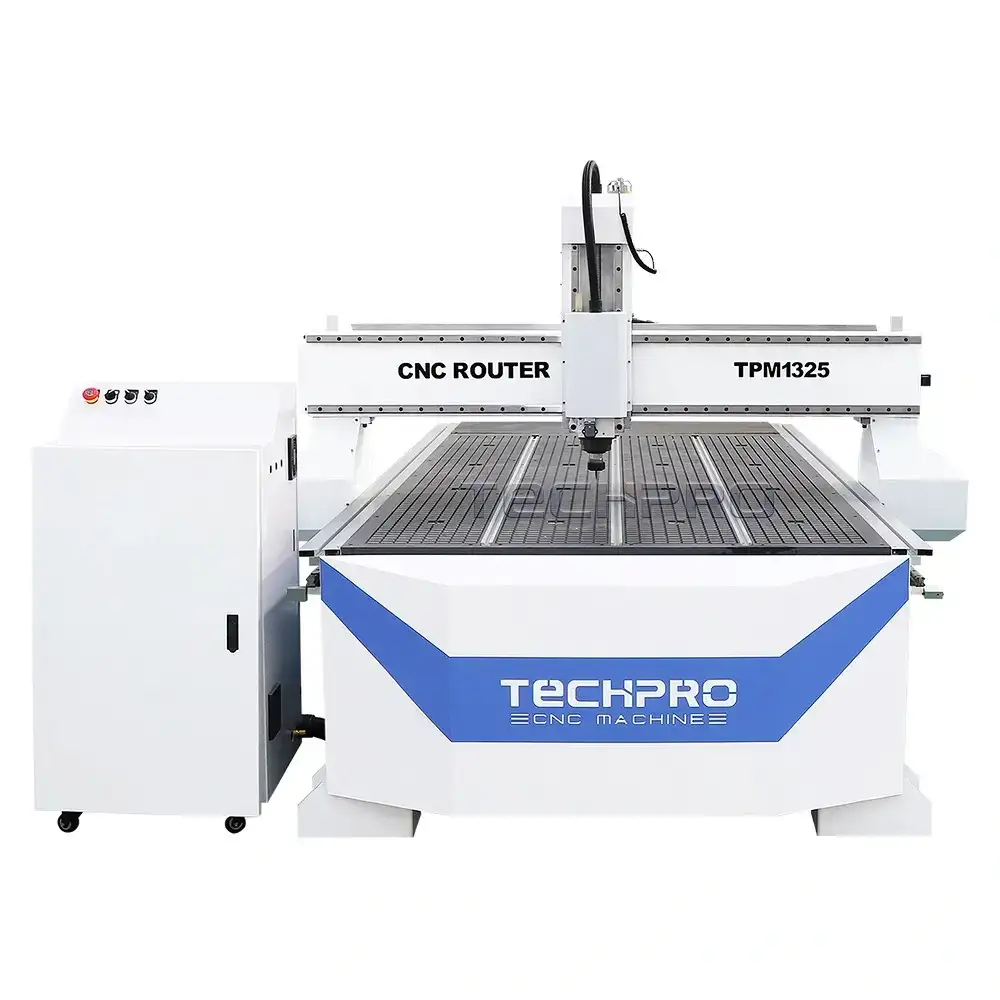
A CNC router machine is an automated cutting tool powered by a professional computer numerical control system that drives the movement of the X, Y, and Z axes. It works with CAM software and G-code instructions to control the router bit, cutting and milling along tool paths generated by CAD software to remove excess material from substrates (including wood, stone, plastic, foam, metal, and composite materials), creating custom shapes, contours, text, and intricate designs.
A CNC router table is a precision workbench kit that includes all the mechanical parts and accessories to build a complete CNC router system. Compatible with controllers like DSP, Mach3, Mach4, NcStudio, LNC, OSAI, LinuxCNC, PlanetCNC, Syntec, Siemens, and FANUC, it enables relief carving, rotary engraving, flatbed cutting, and 3D milling on wood, aluminum, copper, brass, stone, glass, PVC, MDF, foam, plastic, and acrylic with extreme precision.
A CNC router kit is a complete set of components to build your own computer-controlled router machine, including the controller, software, operating system, machine frame (bed), spindles, gantry, motor, driver, guide rail, ball screw, power supply, T-slot table or vacuum table, vacuum pump, collet, limit switch, rack & pinion, and additional accessories. Every component works together to automate tasks like carving, engraving, cutting, milling, drilling, and slotting in wood, plastic, or metal. CNC router kits are popular among hobbyists and small businesses for producing intricate designs and prototypes with precision and automation.
Unlike handheld routers, CNC routers are fully automated machine tools that follow computer-programmed instructions, enabling complex designs in a fast, efficient manufacturing process.
Technical Specifications
| Category | Details |
|---|
| Brand | TechPro |
| Table Sizes | 2′ x 2′, 2′ x 3′, 2′ x 4′, 4′ x 4′, 4′ x 6′, 4′ x 8′, 5′ x 10′, 6′ x 12′ (Custom sizes available) |
| Axis Options | 3 Axis, 4th Axis (Rotary), 4 Axis, 5 Axis |
| Machining Capability | 2D Machining, 2.5D Machining, 3D Machining |
| Compatible Materials | Wood, Stone, Foam, Metal, Aluminum, Copper, Brass, Plastic, Acrylic |
| Machine Types | Hobby CNC Router Kits for Home Use, Industrial CNC Router Machines for Commercial Use |
| Supported Software | ArtCAM, Type3, Cabinet Vision, CorelDraw, UG, Solidworks, MeshCAM, AlphaCAM, UcanCAM, MasterCAM, CASmate, PowerMILL, Fusion360, Aspire, AutoCAD, Autodesk Inventor, Alibre, Rhinoceros 3D |
| Controller Options | DSP, Ncstudio, Mach3, Mach4, OSAI, Siemens, Syntec, LNC, FANUC |
| Price Range | $2,580 – $150,000 |
| OEM Service | Custom X, Y, Z Axis Working Area, Custom Configuration |
| Optional Parts | Dust Collector, Vacuum Pump, Rotary Device, Mist-Cooling System, Servo Motors, Colombo Spindle |
Types & Models of CNC Routers
Whether you’re growing your business or showcasing your creativity, choosing the right CNC router for your specific needs is essential. CNC routers are categorized by axis type, use case, and table size, with options for every budget and project. Below are the most popular types available at TechPro:
Home & Hobby Kits
Mini, small, portable, desktop, benchtop, and tabletop CNC router kits, perfect for home workshops, hobbyists, and beginners. Ideal for small-scale projects, custom crafts, and personal use.
Industrial CNC Routers
Heavy-duty industrial CNC routers, including wood routers, stone carving machines, foam cutters, and aluminum milling machines, designed for high-volume production and commercial manufacturing.
Axis Types
- 3-axis: The most common type, ideal for 2D and 3D flatbed machining.
- 4th-axis (rotary axis): Adds a rotary axis to 3-axis machines, enabling cylinder carving and 3D projects.
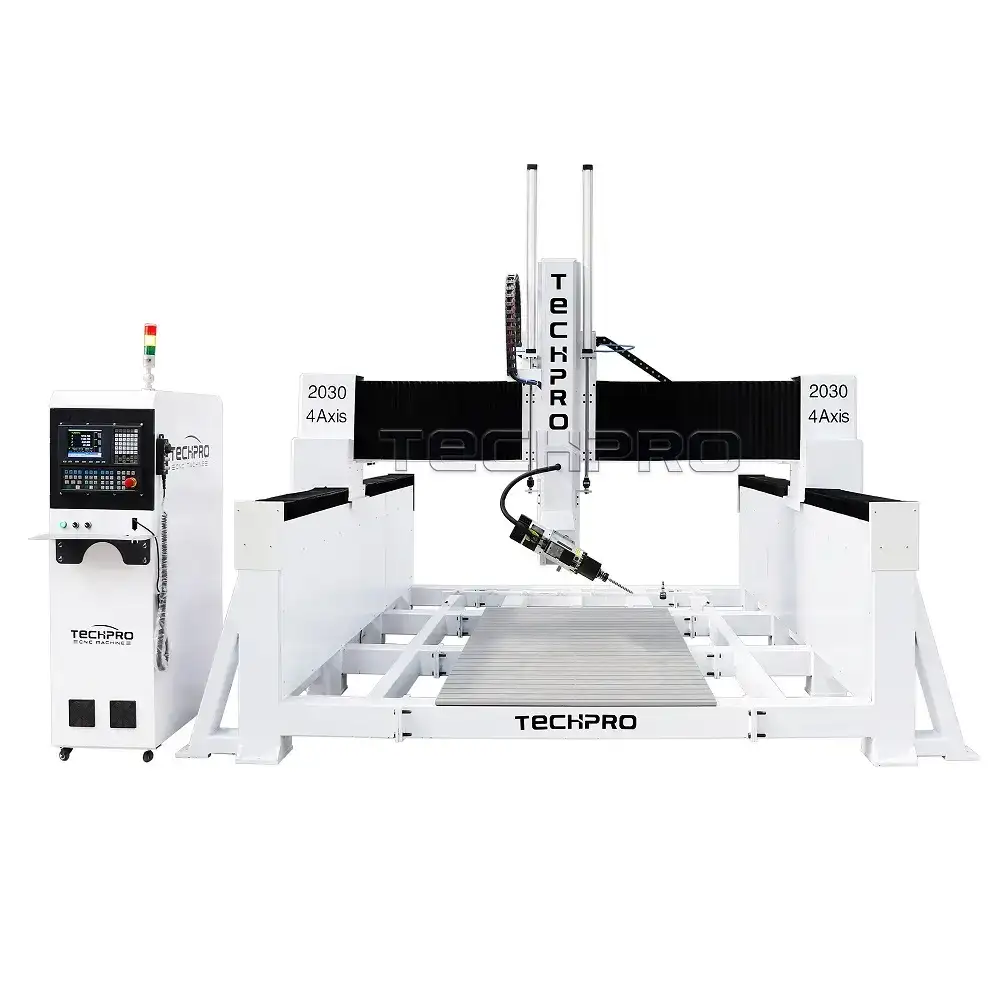
- 4-axis: Full 4-axis linked machining for complex multi-sided parts.
- 5-axis: Multi-axis machining for simultaneous 5-sided cutting, reducing project time and increasing precision.
- Multi-axis: Custom multi-axis solutions for industrial applications.
Table Kits
The most popular CNC router table sizes are available in feet, inches, and millimeters, with custom sizes available for special business needs at TechPro:
- Feet: 2’x2′, 2’x3′, 2’x4′, 4’x4′, 4’x6′, 4’x8′, 5’x10′, 6’x12′
- Inches: 16″x16″, 16″x24″, 24″x24″, 24″x36″, 24″x48″, 48″x48″, 48″x96″, 60″x120″, 80″x120″, 80″x160″
- Millimeters (mm): 6060, 6090, 1212, 1218, 1224, 1325, 1530, 2030, 2040
How to Pick Your Perfect CNC Router Table
Most home hobbyists choose a small 2’x3′ or 2’x4′ desktop CNC router table kit, while small project craftsmen often opt for a medium 4’x4′ table kit. The 4’x8′ table is the most popular full-size option for small businesses and industrial manufacturers, offering a balance of workspace and affordability. For large-format production, TechPro offers custom sizes including 5’x10′, 6’x12′, and more to meet your unique business needs.
| Inches | Feet | Millimeters | Ideal For |
|---|
| 24″ x 24″ | 2′ x 2′ | 600 x 600 | Hobbyists, desktop use, small crafts |
| 24″ x 36″ | 2′ x 3′ | 600 x 900 | Home workshops, small projects |
| 24″ x 48″ | 2′ x 4′ | 600 x 1200 | Beginners, small businesses |
| 48″ x 48″ | 4′ x 4′ | 1200 x 1200 | Small to medium businesses, custom projects |
| 48″ x 72″ | 4′ x 6′ | 1200 x 1800 | Medium production, furniture making |
| 48″ x 96″ | 4′ x 8′ | 1300 x 2500 | Small businesses, industrial manufacturing (most popular) |
| 60″ x 120″ | 5′ x 10′ | 1500 x 3000 | Large-format production, custom orders |
| 72″ x 144″ | 6′ x 12′ | 2000 x 4000 | Industrial manufacturers, high-volume production |
Ultimately, the right table size depends on your business needs, workspace, and budget. TechPro offers fully custom table sizes to match your unique requirements.
Working Principle of CNC Router Machines
CNC router machines operate with at least three axes (X, Y, Z) to automate the cutting process, evolving from traditional handheld routers and digital cutters.
- X-axis: Horizontal movement (left/right)
- Y-axis: Vertical movement (front/back)
- Z-axis: Vertical movement (up/down) for cutting depth
A computer controller reads G-code or other machine language instructions and drives the motors for precise motion control. The spindle holds the cutting tool, moving along the X, Y, and Z axes to follow the tool path generated by CAD/CAM software.
- 3-axis machines: The tool remains vertical, ideal for flatbed cutting and 3D surface carving (undercuts not possible). Can be upgraded with a 4th rotary axis for cylinder carving and 3D projects.
- 4-axis machines: Linked X-Y-Z-A/B/C axes for simultaneous multi-sided machining, enabling complex parts and undercuts.
- 5-axis machines: Add two additional rotary axes (A/B, A/C, or B/C), allowing the spindle to rotate 180° for simultaneous 5-sided cutting, drastically reducing project time and increasing precision.
The entire process starts with tool path creation: the operator uses CAD (Computer-Aided Design) & CAM (Computer-Aided Manufacturing) software to design the part and generate the machine’s tool path. The computer then sends instructions to the machine’s motors, moving the tool to the desired position within the work area.
Every TechPro CNC router is engineered with precision components to ensure consistent, accurate motion control for every project.
Uses & Applications of CNC Routers
Applied Industries
CNC routers are used across a wide range of industries, including:
Woodworking, sign making, furniture, cabinetry, fixtures, custom millwork, channel letters, model making, joinery, orthotic manufacturing, point-of-purchase (POP), jewelry manufacturing, CAD/CAM training, prosthetic manufacturing, education, solid surface production, prototyping, radius moldings, aerospace, foam packaging, countertop production, plastic packaging, mannequin production, metalworking, musical instrument manufacturing, retail store fixtures, boat building, PCB fabrication, safety enclosures, conveyor manufacturing, engraving, pool cues, gun stock manufacturing, knife template production, artistic carvings, name tags, MDF doors, puzzles, small business, home business, school workshops, hobbyists, and SMBs.
Applicable Materials
CNC routers can cut, mill, and engrave a diverse range of materials:
- Solid Wood & Hard Wood: Redwood, cherry, ash, oak, pine, birch, mahogany, walnut, teak, maple, hickory, wenge, and more
- Soft Wood: Soft maple, pine, fir, hemlock, cedar, spruce, redwood
- Composite Lumber: MDF, OSB, LDF, plywood, masonite, particle board, melamine
- Plastic: ABS, PVC, PET, acrylic, polycarbonate, polystyrene, uhmw, nylon, lexan, solid surface materials
- Stone: Granite, marble, jade, artificial stone, bluestone, sandstone, ceramic tile
- Metal: Copper, brass, bronze, aluminum, mild steel, stainless steel
- Foam: Sign foam, polystyrene, EVA, urethane, precision board
- Other Materials: PCB, fiberglass, leather, wood veneers, delrin, rubber, modeling clay
TechPro CNC routers are engineered to handle all these materials, with custom configurations available for specialized applications.
Cost & Price of CNC Routers
Ready to upgrade from a handheld router to an automatic CNC machine? It’s a smart investment, but budget is a key consideration—prices vary drastically based on model, features, table size, and configuration.
- Handheld routers: Start at just $100, but lack the automation and precision of CNC routers.
- DIY CNC router kits: Start under $1,000, depending on hardware, software, and accessories. Popular with hobbyists and CNC enthusiasts.
- Entry-level CNC routers: $2,380 – $5,080, with small workbenches, perfect for beginners on a budget. Ideal for home shops and small businesses.
- Full-size CNC routers: $6,780+, with large-format tables, higher performance, and advanced features for small to medium businesses.
- High-end professional CNC routers: $3,280 – $18,000, for commercial use, with premium features and unmatched performance.
- Industrial CNC router machines: $16,000 – $150,000, with automatic tool changers, automatic feeders, 4th/5th axes, and custom configurations for large enterprises and industrial manufacturers.
The overall cost of a CNC router is determined by table size, components, features, durability, performance, assembly, and optional accessories. As a direct manufacturer, TechPro offers factory-direct pricing, eliminating middleman markup and ensuring you get the best value for your investment. Shipping costs, tax rates, and customs fees vary by destination country, and we provide transparent pricing for all orders.
Budget Guide by Machine Type
| Machine Type | Minimum Price | Maximum Price | Average Price | Ideal For |
|---|
| Wood CNC Router | $2,580 | $38,000 | $5,670 | Hobbyists, small businesses, furniture makers |
| Metal CNC Router | $5,000 | $23,800 | $7,210 | Metal fabricators, industrial users |
| Foam CNC Router | $6,780 | $180,000 | $11,280 | Sign making, mold production |
| Stone CNC Router | $2,800 | $33,800 | $6,510 | Stone carving, monument production |
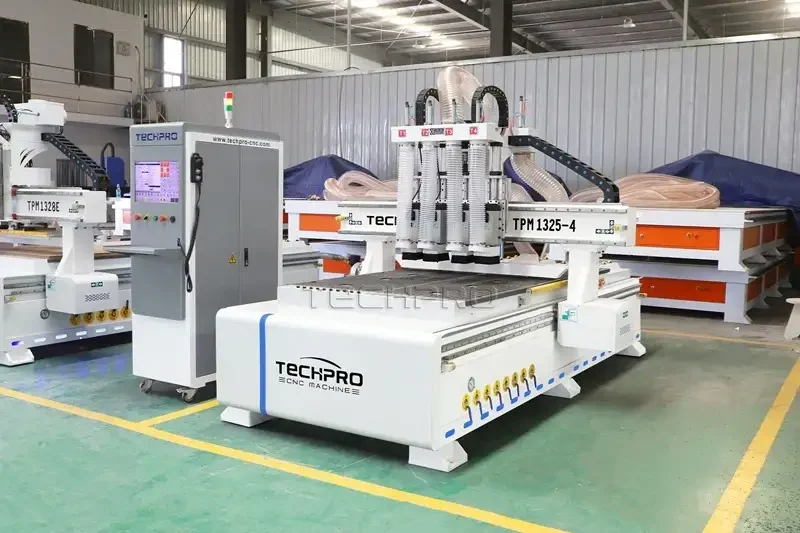
| Nesting CNC Router | $9,000 | $56,000 | $15,230 | Furniture manufacturing, high-volume production |
| 3-Axis CNC Router | $2,380 | $22,800 | $5,280 | Beginners, small businesses |
| 4th Rotary Axis CNC Router | $2,580 | $25,980 | $6,160 | Cylinder carving, 3D projects |
| 4-Axis CNC Router | $22,800 | $37,800 | $26,120 | Industrial multi-sided machining |
| 5-Axis CNC Router | $80,000 | $150,000 | $101,200 | High-precision industrial manufacturing |
CNC Router Parts & Accessories
A computer-programmed CNC router system is built with core components including the machine bed frame, X/Y table (T-slot table or vacuum table), spindle, gantry, ball screw, guide rail, vacuum pump, driver, motor, controller, operating system, software, collet, rotary 4th axis, limit switch, power supply, and rack & pinion.
The performance and longevity of any CNC router kit depend entirely on the quality of its core hardware and the compatibility of its software. At TechPro, we engineer every CNC router with premium, industry-leading components to ensure unrivaled precision, stability, and reliability for hobbyists and industrial manufacturers alike.
Spindle Motor: The Core of Your CNC Router
The spindle motor is the heart of any CNC machine, powering high-speed cutting, milling, carving, and drilling operations. A high-performance spindle is essential for consistent, professional results, but its high-speed rotation generates significant heat. Without proper heat dissipation, the spindle’s service life will be drastically reduced, and severe overheating can cause permanent spindle damage. That’s why all TechPro CNC routers are equipped with either water-cooled or air-cooled spindle systems to ensure efficient heat management.
How to Choose the Right Spindle for Your CNC Router
Spindle speed selection is critical for optimal cutting performance and tool longevity, and it depends on three key factors:
- Material Hardness: Harder materials require slower spindle speeds to avoid breaking the router bit, while softer materials (or materials with higher viscosity, such as soft metals or engineered plastics) can be processed at higher speeds.
- Tool Diameter: Larger tool diameters require slower spindle speeds, as larger bits generate more cutting resistance.
- Spindle Power Output: Always ensure the spindle motor maintains sufficient output power during operation. As spindle speed decreases, motor output power also drops—insufficient power will compromise cutting quality and accelerate tool wear. Refer to the spindle motor’s power curve to select the optimal speed for your application.
Bed Frame: Stability for High-Power Machining
High-power CNC machining demands a rigid, precision-engineered bed frame to maintain accuracy during continuous operation. For long-term, heavy-duty machining, TechPro uses cast iron bed frames for all industrial CNC routers, ensuring exceptional stability, vibration damping, and dimensional accuracy over years of use. This robust construction eliminates flex and deflection, even under the highest cutting loads, guaranteeing consistent, professional results for every project.
CNC Controller: The Brain of Your CNC Router
CNC (Computer Numerical Control) controllers are the central command system for industrial automation, and several types are commonly used in CNC routers:
- G-code-based controllers: Use pre-programmed G-code sequences to control machine movement, the industry standard for most CNC applications.
- PLC (Programmable Logic Controller) controllers: Offer custom programmability for flexible, specialized automation tasks.
- Motion control systems: Use advanced algorithms to precisely control axis movement for high-speed, high-accuracy machining.
- PC-based CNC controllers: Run on a standard PC, offering advanced features, customization, and real-time monitoring.
- Embedded CNC controllers: Integrated directly into the machine, providing compact, efficient control for industrial use.
A CNC controller functions as the machine’s on-board computer, allowing operators to run additional design and typesetting tasks while the machine is in production—an invaluable advantage for long-running jobs. The most commonly used controllers for TechPro CNC routers include DSP, Mach3, NcStudio, OSAI, LNC, and Syntec, all compatible with our full range of router systems.
Ball Screw & Guide Rails: Precision Machining Guarantees
Ball screws and guide rails are critical components that directly impact the long-term precision and performance of your CNC router. High-quality ball screws and linear guide rails ensure smooth, accurate axis movement, even after years of continuous operation. TechPro sources only premium-grade ball screws and guide rails from leading industrial suppliers, ensuring uncompromising accuracy and reliability for every CNC router we manufacture.
Table Kit: T-Slot vs. Vacuum Adsorption
CNC router table kits are available in two primary configurations: T-slot fixturing tables and vacuum adsorption tables, each with unique advantages for different applications:
- T-slot table (aluminum profile): Workpieces are manually secured with clamps or rivets, offering flexibility for irregularly shaped parts or small-batch projects.
- Vacuum adsorption table: Uses a vacuum pump to automatically and securely hold workpieces in place, saving time and ensuring a firmer grip for large-area flat panel machining. TechPro’s vacuum tables feature 6 or 8 partitioned zones to enhance adsorption strength, even for smaller panels.
While vacuum tables are more expensive than T-slot tables due to their integrated vacuum pump and high-performance electrical components, they drastically reduce setup time and improve workflow efficiency for high-volume production.
CAD/CAM Software for CNC Routers
CNC routers rely on CAD (Computer-Aided Design) and CAM (Computer-Aided Manufacturing) software to create designs and generate tool paths. Software options include free, open-source, or paid commercial versions, depending on your project needs and budget. The most widely used software compatible with TechPro CNC routers includes: Type3, ArtCAM, Aspire, AutoCAD, Cabinet Vision, CorelDraw, UG, Solidworks, PowerMILL, and Fusion 360. Our technical team can provide guidance on software selection and integration for your specific application.
Step-by-Step CNC Router Operation Guide
Operating a CNC router may seem complex at first, but with proper training and practice, it becomes intuitive for beginners and professionals alike. TechPro’s 5-step operation guide ensures safe, efficient production for every project:
Step 1: Power On & Initial Setup
- Turn on the control computer, monitor, and launch the operating software
- Press the machine power switch to activate the system
- Start the spindle cooling water pump and verify proper water flow
- For daily first use, activate the lubricating oil injector once to lubricate all moving parts
- Perform mechanical origin return in the software to eliminate potential collisions
- Manually move each feed axis 1–2 times across the full stroke to confirm smooth operation
Step 2: Workpiece Clamping
- Place cushion material in the center of the workbench
- Position the workpiece securely on the cushion
- Use a minimum of 4 pressure plates to fix the workpiece to the worktable
- Verify the workpiece is clamped tightly and stable
- Set the workpiece origin:
5.1 Move the spindle along the feed axis until the tool is near the workpiece
5.2 Start the spindle
5.3 Switch to single-step movement (0.01mm or 0.05mm step size)
5.4 Move the tool until it makes contact with the workpiece (listen for slight noise)
5.5 Zero the workpiece coordinates for this axis or record current machine coordinates
5.6 Move the tool away from the workpiece, confirming the direction is correct to avoid collision
Step 3: CNC Tool Change
- Disconnect power to ensure the spindle motor stops completely
- Move the spindle to a safe tool change position, place soft material under the cutter to protect the cutting edge
- Secure the spindle with a small wrench, turn the chuck nut clockwise (top-down view) with a large wrench (avoid hitting the cutting edge)
- If replacing the chuck, remove the nut and chuck, clean all foreign objects from the spindle and chuck
- Inspect the new router bit for damage or wear before installation
- Install the collet and nut on the spindle
- Insert the bit into the chuck (do not fully insert the cylindrical shank), tighten the nut by hand
- Secure the nut with two wrenches (avoid over-tightening, protect the cutting edge)
- Confirm the wrench is clear of the spindle, then restore power
- Reset the tool and workpiece origin, especially the Z coordinate
Step 4: Start CNC Production
- Verify all critical pre-start settings: tool position, workpiece origin, program load integrity, and clamping security
- Adjust the feedrate override to ~30% in the software and start the program for a dry run test
- After confirming no abnormal operation, adjust the feedrate override to the normal working value
- Ensure a qualified operator is on duty during the entire production run
Step 5: Shutdown & Post-Production
- Return the machine to mechanical origin
- Remove the router bit (chuck nut can remain on the spindle)
- Turn off the machine power
- Shut down the computer (never reverse this order to avoid system damage)
- Clean the worktable, remove chips and debris, and perform daily maintenance
Router Bits & Tools: Proper Installation Guide
Correct installation and operation of router bits are critical for accurate cutting, extended tool life, and consistent CNC routing performance. Improper bit installation increases tool wear, reduces machining accuracy, and can cause machine damage. TechPro’s expert team has compiled the following best practices for proper router bit installation:
- Inspect bit condition before installation: Check for chipping, severe wear, or damage. Replace worn or damaged bits before use to ensure accurate cuts.
- Clean all contact surfaces: Wipe the spindle, collet, and nut clean, removing all burrs, dirt, and debris that could affect installation accuracy.
- Proper washer alignment: When using washers, ensure both ends are parallel. If the bit is skewed after installation, adjust the washer position to eliminate runout and prevent vibration.
- Straight shank bit installation: Use spring collets to clamp straight shank milling cutters. Tighten the nut to radially compress the collet and secure the bit shank.
- Taper shank bit installation: If the bit’s taper shank matches the spindle’s taper hole, install directly and tighten with a tie rod. Use a transitional taper sleeve for mismatched sizes.
- Secure bit rotation alignment: After inserting the tool holder into the spindle, tighten the bit with the locking screw. Ensure the bit’s rotation direction matches the tie rod’s thread direction to prevent the bit from loosening during operation.
- Minimize bit overhang: Position the bit as close to the spindle bearing as possible to reduce vibration. Install a support bearing if the bit requires extended reach.
- Retain keyed connections: Never remove the key from the cutter shaft, as this can cause slippage, shaft bending, and component damage under heavy load.
- Verify bit runout: After installation, use a dial indicator to check radial and end runout, ensuring it is within the manufacturer’s allowable range.
- Proper tool storage: Hang removed tool shafts on a rack to prevent bending. If horizontal storage is necessary, pad with soft materials to avoid scratches and deformation.
CNC Router Buyer’s Guide: 5 Key Steps to Choose the Right Machine
Selecting the perfect CNC router for your needs requires careful consideration of your application, budget, and production goals. Whether you’re a hobbyist or an industrial manufacturer, these 5 key factors will help you find the ideal machine:
Step 1: Define Your Application & Production Scale
Not every CNC router is suited for every task. Hobbyists and small-scale wood engravers can achieve excellent results with a small or mid-sized machine, while businesses requiring daily heavy-duty cutting or high-volume production need a robust, industrial-grade CNC router. TechPro offers solutions for every scale, from hobbyist desktop kits to full industrial production systems.
Step 2: Evaluate Assembly & Support Requirements
Most CNC routers require professional assembly and calibration. If you lack technical expertise, choose a manufacturer like TechPro that offers pre-assembled machines, on-site installation, and comprehensive training to avoid setup errors.
Step 3: Match the Machine to Your Materials
CNC routers are not limited to cutting wood. Entry-level machines can process plastic and aluminum, while heavy-duty models are designed for hardwood, hard metals, and stone. Always select a machine compatible with the materials you plan to process, and consult TechPro’s experts for custom configurations.
Step 4: Explore Additional Features
Modern CNC routers offer a range of optional features to boost productivity, such as automatic tool changers (ATC), rotary 4th axes, laser engraving attachments, and automatic feed systems. TechPro can customize your machine with these features to maximize your production output.
Step 5: Set a Realistic Budget
While affordability is critical, the lowest-priced machine may not deliver the performance or reliability you need. Factor in upfront costs, ongoing maintenance, and support when evaluating options. As a direct manufacturer, TechPro offers factory-direct pricing, eliminating middleman markup and ensuring you get the best value for your investment.
CNC Router Troubleshooting: Common Issues & Solutions
When operating a CNC routing machine, you may encounter performance issues that disrupt production. Below is a structured, TechPro-vetted troubleshooting guide to diagnose and resolve common problems:
Alarm Failure
An over-travel alarm triggers when the machine exceeds its physical or software limit positions during operation. Diagnose with these steps:
- Verify if the designed part size exceeds the machine’s processing range
- Inspect the connection between the motor shaft and lead screw; tighten loose screws if found
- Confirm proper grounding of the machine and control computer to prevent signal interference
- Check if current coordinate values exceed the software limit range in the control system
Overtravel Alarm Release
When an over-travel alarm activates, all motion axes automatically switch to jog mode to prevent damage. To safely reset:
- Hold the manual direction key to move the workbench away from the limit position until the machine clears the over-travel limit switch; normal motion will restore automatically
- For soft limit alarms, clear the alarm by resetting the X, Y, and Z axis coordinate values in the control settings
- Always double-check the movement direction to avoid collisions and further machine damage
Non-Alarm Failure
For issues without active alarm notifications:
- If repetitive processing accuracy is insufficient, recalibrate the machine’s alignment and check component wear
- If the computer runs but the machine is unresponsive, check the connection between the computer control card and electrical box; re-seat and tighten set screws if loose
- If the machine fails to detect the origin signal during homing, inspect the origin proximity switch for damage or misalignment; replace or re-calibrate as needed
Output Error
Resolve no-output or signal loss issues with these checks:
- Verify the physical connection between the computer and control box for loose or damaged cables
- Check if storage space in the routing manager is full; delete unused program files to free up capacity
- Inspect all signal cable connections for looseness, damage, or incorrect wiring; re-terminate or replace cables as needed
Routing Failure
Troubleshoot poor cutting quality, uneven finishes, or machine errors with these steps:
- Inspect all machine components for loose screws, bolts, or fasteners; tighten to manufacturer specifications
- Verify the accuracy of the tool path program before starting production
- Check if the program file size exceeds the machine’s processing capacity; split large files into smaller segments if needed
- Adjust spindle speed (typically 8,000–24,000 RPM) to match the material being processed
- If the tool chuck is loose, re-seat the bit vertically and clamp securely to eliminate uneven routing
- Inspect cutting tools for wear, chipping, or dullness; replace with a new, sharp tool before resuming production
CNC Router Care & Maintenance: Extend Machine Lifespan
Proactive maintenance is essential to ensure optimal performance and extend the lifespan of your CNC router. With 17+ years of CNC manufacturing expertise and thousands of global after-sales support cases, TechPro has curated a comprehensive daily care guide for all CNC router owners:
Spindle – Core Component Maintenance
- Reliable lubrication for oil-air spindles: Use filtered lubricating oil to prevent impurities and cross-contamination. Regularly monitor oil levels and top up to avoid oil starvation, and clean filter elements and screens on a scheduled basis.
- Consistent cooling conditions: For water-cooled spindles, check coolant levels and replenish with distilled water to prevent scale buildup. For air-cooled spindles, perform routine maintenance on the cooling system to avoid overheating and malfunctions.
- Standardized operation: Never exceed the spindle’s rated power or speed. Operators must understand the spindle’s specifications to avoid overload, which can cause permanent damage and costly repairs. Always follow the TechPro machine manual for safe operation.
CNC Controller Box Maintenance
- Critical Safety Note: Always disconnect power before maintenance. Wait until the inverter display is blank and the main circuit power indicator is off to avoid electrical shock.
- Clean dust from the controller box interior regularly, based on your workshop’s dust levels. Excessive dust can cause wire joint overheating, fire hazards, and signal errors leading to machine misalignment.
- Clean the interior of the control computer to prevent overheating and program errors that disrupt production.
Transmission Parts Maintenance
Transmission components include guide rails, racks, and ball screws. Follow these daily care steps:
- After each use, thoroughly clean all debris, chips, and dust from the machine’s guide rails, racks, and ball screws.
- For machines with automatic lubrication systems: Verify consistent lubrication on all moving parts.
- For machines with manual oil pumps: Manually lubricate guide rails, racks, and screws every 3–5 days.
- Critical Lubrication Notes:
- Guide rails and racks require engine oil for maintenance; ball screws require high-speed grease.
- In cold winter environments, first clean guide rails and polished rods with gasoline to remove old grease, then re-lubricate to prevent excessive transmission resistance and machine misalignment.
Motor Drive Maintenance
CNC machine drive motors include stepper motors, hybrid servo motors, and pure servo motors. Follow these maintenance steps:
- If abnormal noise, vibration, or overheating is detected during operation, shut down the machine immediately.
- Manually operate the machine to locate the noise source, then contact TechPro’s after-sales team for professional repair or motor replacement.
- Regularly inspect motor connections and wiring for looseness or damage to prevent signal loss and production downtime.
Key Considerations for CNC Router Buyers
Learning Curve
Entry-level CNC routers (like TechPro’s Hobby CNC Router) allow beginners to create simple projects in just a few days of hands-on learning. However, mastering professional-grade CNC systems (such as our ATC CNC Routers for industrial production) requires years of dedicated practice, training, and experience. With consistent effort and step-by-step skill building, you can grow into a skilled CNC machinist and unlock the full potential of your equipment.
Pricing & Sourcing
With advancements in CNC technology and transparent hardware/software costs, CNC router pricing has become increasingly accessible. By purchasing directly from TechPro, a leading CNC machine manufacturer since 2007, you eliminate middleman markup, reduce costs, and gain direct access to factory support, custom solutions, and genuine OEM parts. Avoid unnecessary intermediaries and source your CNC router from a trusted, industry-leading manufacturer with a proven track record.
Profit Potential
A CNC router is a high-profit manufacturing tool, offering multiple revenue streams for small businesses and entrepreneurs:
DIY & Customization
Second-hand and used CNC routers have made DIY CNC projects more accessible than ever. You can refurbish, modify, or build your own CNC system by replacing defective components, upgrading parts, or customizing existing machines. However, for reliable performance and long-term support, we recommend purchasing new, factory-certified CNC routers from TechPro, with full warranty and after-sales support to avoid DIY-related risks and downtime.
Final Notes
This complete guide is tailored exclusively for TechPro CNC router owners, covering every stage of component selection, operation, troubleshooting, and maintenance to ensure maximum productivity and machine longevity. For further support, custom solutions, or product inquiries,
contact TechPro today.