Best Laser Marking Machine for sale

The Fiber Laser Marking Machine is a state-of-the-art engraving machine for precise, versatile and efficient marking of metallic, non-metallic and metal-like materials. Ideal for beginners and professionals alike, it has a wide range of applications, from small businesses and home workshops to educational institutions and industrial manufacturing. The machine uses a 1064nm laser beam and the machine can permanently and accurately engrave intricate photographs, patterns and text. And while the MOPA laser source allows for colorful engraving on stainless steel and titanium, it even allows for deep metal engraving and thin metal cutting if a higher power laser source is used.TechPro offers fiber laser marking machines in a variety of configurations such as handheld, portable, desktop, and mini models, with laser power ranging from 20W to 100W, and with prices ranging from 3,500 to 28,500, ensuring the perfect fit for any marking job. The price range is from 3,500 to 28,500, ensuring the perfect fit for any of your marking needs.

Price range: $3,000.00 through $4,500.00

CO2 laser marking machines are advanced laser engraving solutions that use a CO2 gas laser with a wavelength of 10.64 μm to create permanent marks on the surface of non-metallic materials, including 2D and 3D designs. The machine is also equipped with a high-powered CO2 RF laser tube to cut intricate designs on paper products made from card stock and cardboard, such as greeting, invitation and holiday cards. Thanks to its special construction, it can be used in a variety of applications, including marking on wood, glass, ceramics and fabrics, from packaging and printing to arts and crafts processing. Whether you’re a hobbyist or a business looking to increase your production capacity, TechPro’s CO2 laser markers offer a reliable and accurate solution.

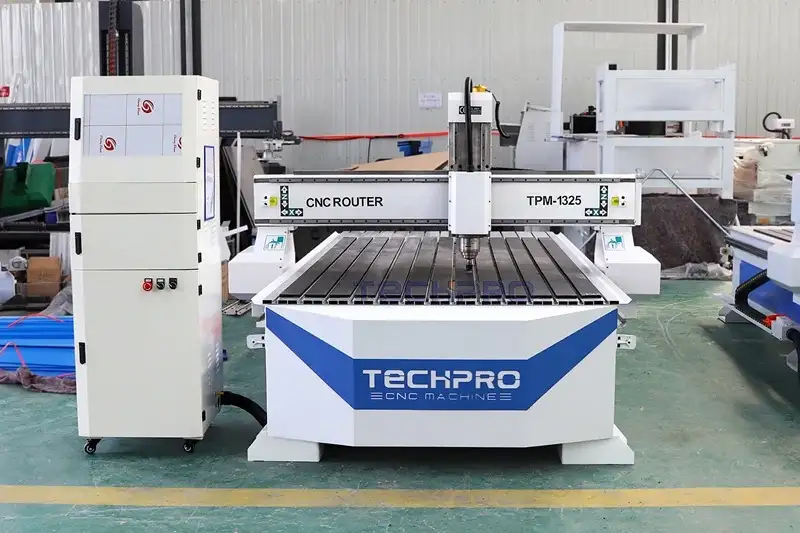
Table Of Contents

Reduce Costs 30%, Increase Profits 42%
with Our CNC Machine.

Machine Projects & Video​

Free & Profitable Relevant Project Ideas​

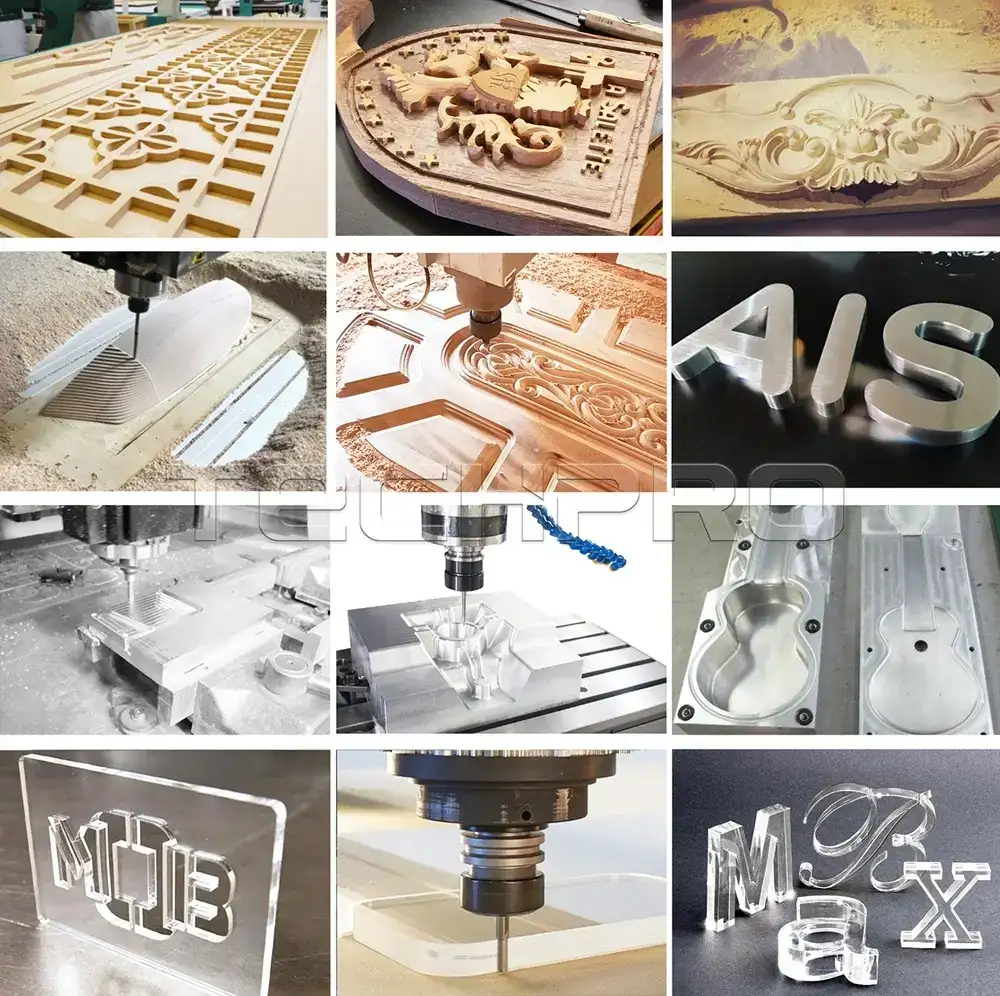
4x8 Linear ATC CNC Woodworking Engraving Machine Processing Samples
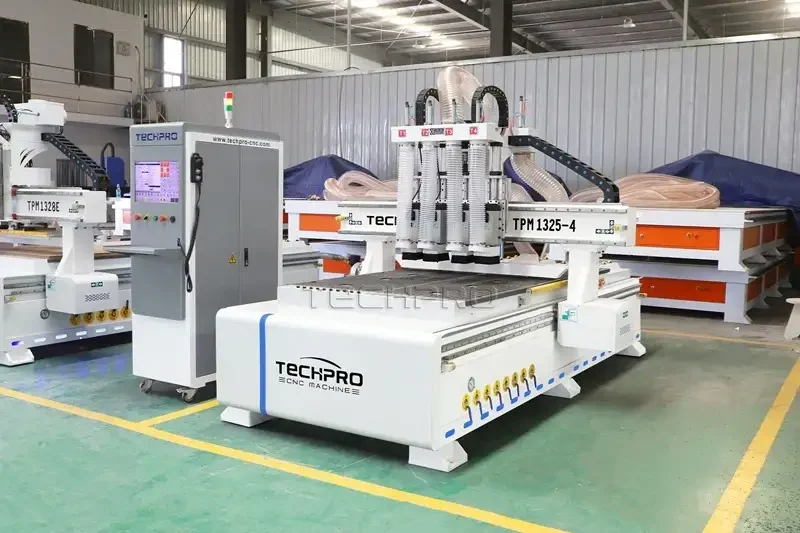
Front view of CNC Woodworking Machine in factory
4x8 Linear ATC CNC Woodworking Engraving Machine Processing Samples
Front view of CNC Woodworking Machine in factory
4x8 Linear ATC CNC Woodworking Engraving Machine Processing Samples
Front view of CNC Woodworking Machine in factory
4x8 Linear ATC CNC Woodworking Engraving Machine Processing Samples

Latest Relevant Stories And Articles

cnc_wood_projects_9kp4FzPz2
Explore easy CNC wood projects with free plans tutorials and TechPro CNC tips to build custom coasters signs furniture and start selling today
CNC_Machine_Programming_Basics_lENTGETwv
Learn how to program a CNC machine with step-by-step beginner guides covering G-code, toolpaths, setup, and error troubleshooting for precise machining.
How_to_Use_Wood_Lathe_WMi1W6CFl
Learn how to use a wood lathe safely with step-by-step wood turning techniques, tool tips, setup guidance, and maintenance advice for beginners.
what_are_the_5_axis_on_a_cnc_machine_PX3P4CtLy
Discover what the 5 axes on a CNC machine are and how 5-axis CNC machining boosts precision and complexity in manufacturing.

Getting Started with Laser Marking Machine for Beginners & Pros

Are you looking for an affordable laser marker to process metal or non-metal (acrylic, pvc, wood, etc.)? Or want to help expand your business with a cheap laser marking machine? The best laser marking machine manufacturer and supplier TPLASER will provide you with services. The following will show you a professional laser marking machine guide, hoping to help you better understand the laser marking system.

What Is Laser Marking Machine?

A laser marking machine, also called laser engraving machine, laser printing machines, laser etching machine, laser markers, laser mark machines, laser marking systems, laser stippling machines, laser labeling machines and laser marking tools, is an advanced device designed to create permanent marks on a wide range of materials with exceptional precision and durability. The equipment utilizes a focused laser beam that operates through an opto-mechanical integration system that combines optical, electronic and mechanical components and an automatic control system. The marking process involves evaporating the surface material to expose the substrate, resulting in fine patterns, logos and text. There are several types of laser marking machines including CO2, fiber, semiconductor and YAG types, each of which can process different materials. These machines excel in industries with demanding processing requirements such as electronics, automotive manufacturing, jewelry, medical devices and construction materials. The precision machining process makes them a must-have tool for complex and high-quality engraving needs.

How Does A Laser Marking System Work? – Working Principle

A laser marking system consists of a power supply system, a laser source, a cooling system, an optical scanning system, a Q-switch and a focusing system. The AC power supply powers the computer, the Q-switch power supply, the cooling circulating pump, the laser power supply, and the laser light source, respectively. Here is how a laser marking machine works:

  1. Emission of laser light: The laser source is powered by the power supply, and then the laser beam is generated by the resonant cavity formed by the reflector and the YAG condenser.
  2. Pulse Modulation: The Q-switch modulates the beam into high power pulses of a specific frequency, suitable for precise marking.
  3. Optical Scanning and Focusing: The pulsed laser passes through an optical scanning system that controls the path and speed of the laser. A focusing device ensures that the beam is centered on the surface of the workpiece and can be adjusted to keep it in the focal plane.
  4. Marking Execution: A computer-controlled scanning system guides the laser to mark text or patterns and automatically corrects for image distortion to ensure processing accuracy.
  5. Cooling System: Deionized water in the cooling unit regulates the temperature of critical components, such as the Q-switch and condenser, to prevent overheating and enhance the machine’s ability to keep working.
  6. Positioning aid: An auxiliary laser beam indicates the marking position for calibration and adjustment prior to processing.

With the cnc system, the machine’s components are precisely coordinated to achieve high-quality, repeatable laser marking on a wide range of materials.

What Is The Purpose of Laser Marking Machines? Application Industries and Materials

A laser marking machine is a precision marking tool used to create permanent marks on a variety of materials. By using a focused laser beam, laser marking machines can etch, engrave, or mark the surface of a workpiece, and these marks are made with high precision and durability. This machine is therefore commonly used for processing projects that require fine, traceable and long-lasting markings.

Main Uses for Laser Marking Machines

  • Permanent Marking: Ideal for applications requiring high durability, such as the automotive, aerospace and medical industries.
  • High Accuracy: Intricate designs, logos, barcodes and serial numbers on small or complex parts.
  • Versatility: Can be used on metals, plastics, ceramics, glass, wood and more to meet a variety of industrial needs.
  • Non-Contact Process: The laser beam does not physically come into contact with the material, ensuring accurate results without causing damage.

Industries that Use Laser Marking

  1. Automotive & Aerospace: For part identification, serial numbers and branding on high friction parts.
  2. Electronics and Semiconductors: Marking circuit boards, chips and connectors for traceability and quality control.
  3. Medical Devices: Permanent marking on surgical instruments and implants for regulatory compliance and traceability.
  4. Jewelry and Luxury Goods: detailed engraving on precious metals for branding and customization.
  5. Packaging & Printing: Labeling of barcodes, lot numbers and logos on food, pharmaceutical and consumer packaging materials.
  6. Textiles and Leather: For branding, logos and customized designs on apparel, leather goods and accessories.

Laser markeris used in the electronic hardware accessories industry, IT industry, communications industry, machine manufacturing, food and medicine, medical equipment, watches and glasses, craft gifts, precious metal jewelry, leather clothing, packaging and printing stoves, precision hardware, accessories , Electrical appliances, instrumentation and other metal processing industries. For materials with high friction such as automobiles, ships, machinery, equipment, etc., the use of laser marking can achieve abrasion resistance and long-lasting, which can better help the industry’s marking

Materials Processed by Laser Marking

  • Metals: Stainless steel, aluminum, titanium and more. Used for industrial parts, tools and medical devices.
  • Plastics: ABS, polycarbonate and other polymers commonly used in electronics, automotive and consumer products.
  • Glass and Ceramics: Marking on glass, ceramic tiles and optical components for functional and decorative purposes.
  • Wood & Organic Materials: Engraving on wood, leather and textiles for crafts, gifts and branding.
  • Composites: Acrylics, epoxies and carbon fibers for the aerospace and decorative industries.

Laser marking machine is used in polymer materials, electronic components, wire speed limit, reflective film, plastic buttons, sapphire, glass, ceramic tiles, signs and other non-metallic materials. CO2 laser marking systemis suitable for clothing, leather, craft gifts, Packaging, advertising, wood, textiles, plastics, signs, electronic communications, watches, glasses, printing, decoration and other non-metal processing industries can achieve perfect marking. Wood products, cloth, leather, organic glass, epoxy resin, acrylic, unsaturated resin and other non-metallic materials have good results.

Types of Lasers for Different Applications

  1. Fiber Lasers: Best suited for metals, hard plastics and composites for speed and precision.
  2. CO₂ Lasers: Mainly used for non-metallic materials such as wood, leather, glass and plastics.
  3. UV lasers: Ideal for thermal materials, providing fine detail without damaging delicate surfaces.

Laser marking machines offer precise, durable and versatile solutions for a wide range of industries. Whether they are working with metals, plastics or organic materials, these machines ensure high-quality marking for product identification, traceability and branding in a variety of applications.

What Are the Types of Laser Marking Machines?

There are several types of laser marking machines, categorized by laser source, laser visibility and laser wavelength, each designed to meet specific industrial and creative applications. Below is a detailed categorization of the machine:

1. Classification by laser source

Laser marking machines are categorized according to the type of laser source they use:

  • CO2 Laser Markers: Ideal for engraving non-metallic materials such as wood, leather, glass and acrylic.
  • Semiconductor Laser Markers: Known for their small size and high efficiency, they are suitable for high speed marking applications.
  • YAG Laser Markers: Commonly used for metal marking due to high precision and adaptability.
  • Fiber laser marking machine: The machine has a long service life, low maintenance costs and high marking quality.

2. Classification by laser visibility

Laser marking systems can be categorized according to the visibility of the laser light they emit:

  • Ultraviolet laser markers (invisible lasers): Operate in the ultraviolet spectrum and are ideal for ultra-precision marking on precision materials such as glass, ceramics and plastics.
  • Green laser markers (visible lasers): produce visible green light, ideal for high contrast marking on reflective or transparent materials.
  • Infrared laser markers (invisible lasers): Suitable for a wide range of materials and for deep engraving and cutting.

3. Classification by laser wavelength

Another classification method is based on the wavelength of the laser:

  • 532nm Laser Markers: Green lasers, ideal for marking on reflective surfaces.
  • 808nm laser markers: Commonly used in semiconductor applications.
  • 1064nm Laser Markers: Standard wavelength for fiber and YAG lasers, suitable for metals and plastics.
  • 10.64µm Laser Markers: CO2 lasers typically used for non-metallic materials.
  • 266nm and 322nm laser markers: Ultraviolet lasers used for special processing projects that require ultra-fine detail.

Understanding these types of lasers and their applications allows you to choose the best laser marking machine for your needs, ensuring that your project is processed with precision, speed and efficiency.

Why Choose Laser Marking?

Permanent Marking: Laser marking creates durable, tamper-resistant markings that are resistant to abrasion and extreme conditions.

Non-Contact Process: Utilizing a “light knife,” laser marking avoids physical stress on the material, maintains the original accuracy of the material, and supports marking on irregular surfaces.

High Precision: Laser systems produce fine, clear, and beautiful markings, ensuring durability and professional quality.

Compatible with a Wide Range of Materials: Ideal for marking virtually any material, including metals, plastics, ceramics and glass, for a wide range of industries.

Cost-effective: Laser marking is fast, non-consumable and consumes little energy, significantly reducing operating costs.

Efficient and Fast: The process is controlled by an industrial computer and is fast, allowing precise marking in seconds.

Customizable and Flexible: Designs, text or logos can be easily adapted to meet the needs of small or large production runs.

Consistent Results: Ensures consistent quality from batch to batch, maintaining reliability and consistency.

Environmentally Friendly: Laser marking is non-contact and energy efficient, avoiding chemical and noise pollution and promoting sustainable development.

Laser marking combines precision, efficiency and versatility to provide a reliable, cost-effective and environmentally friendly solution to marking needs.

How to Use Laser Marker?

Prepare for Work:

  1. Clean the work area: Make sure the work area is clean and free of obstacles.
  2. Check Grounding: Make sure the machine is securely grounded.
  3. Check Power Connection: Make sure all cables are connected correctly.

Start the Program:

  1. Turn on the power:
    • Turn on the main power; make sure the indicator light is on and the fan is running.
  2. Insert the key:
    • Insert the key switch and turn it 90°clockwise to the “ON” position.
  3. Start the control system:
    • Turn on the industrial control switch to start the computer and laser system.
  4. Check the emergency stop switch:
    • Make sure the emergency stop switch is off (popped up).
  5. Activate the laser:
    • Turn on the laser switch to power up the system.
  6. Remove protective cover:
    • Remove the laser galvanometer cover.

Marking Process:

  1. Load Software:
    • Open the marking software and load or create a marking file.
  2. Alignment:
    • Use the “red light” function to accurately position the marking area.
    • Align the workpiece and fix it.
  3. Adjust the focus:
    • Activate “Continuous Processing” and adjust the Y-axis until the laser reaches optimal intensity and clarity.
    • Tip: Consider upgrading to an autofocus system to improve accuracy and efficiency.
  4. Test Marking:
    • Perform test marking to confirm settings.
  5. Marking:
    • Press F2 to start marking.

Shutdown Procedure:

  1. Turn off the laser:
    • Turn off the laser and key switch when marking is complete.
  2. Close the software:
    • Exit the marking software.
  3. Turn off the power supply:
    • Turns off the industrial computer and the main power supply.
  4. Keep the key:
    • Remove the key and keep it in a safe place.
  5. Protect the lens:
    • Replace the laser lens cover.

These are the steps for proper operation of the laser marker. Following these steps will ensure safe and efficient use of the laser marker while maintaining its performance.

How to Choose Laser Marker? (Can I Get Laser Marker Cost?)

Choosing the right laser marking machine requires understanding your specific needs in order to evaluate whether a laser marking machine is qualified. the best is not necessarily the most expensive, and the most expensive is not necessarily the most suitable The best is not necessarily the most expensive, and the most expensive is not necessarily the most suitable. The following guidelines will help you make an informed choice:

1. Know Your Materials

The type of material you are working with is the primary factor in choosing a laser marking machine. Different materials absorb laser wavelengths to different degrees, and this absorption determines the laser source you need. The following are common choices:

  • Fiber Lasers: For metals, plastics and some ceramics.
  • CO₂ lasers: Best for organic materials such as wood, leather, glass and acrylics.
  • UV Lasers: For fine materials such as glass and polymers where high precision is required.
  • Green laser: For reflective surfaces such as gold, silver and copper.

2. Selecting the Right Laser Power

Laser power affects marking speed and quality. The higher the power, the faster the marking, but it is not always necessary. Select the power according to your application:

  • Low power (e.g. 10W-30W): Ideal for marking intricate details on small surfaces.
  • Medium power (e.g. 50W-100W): Ideal for medium speed production or deeper engraving.
  • High power (e.g. 120W or more): For heavy duty industrial applications.

3. Evaluating Configurations

Key components of a laser marking system include

  1. Laser Source: Determines wavelength and type.
  2. Scanning Mirror: Controls marking accuracy and speed.
  3. Focusing System: Adjusts the laser beam for precise engraving.
  4. Control System: Includes software that manages operation and settings.

4. Consider the Type of Machine

Laser marking machines come in a variety of designs to suit different environments:

  • Portable models: Lightweight and easy to transport, ideal for on-site work.
  • Benchtop machines: Compact, with an integrated console, for small to medium-sized projects.
  • Flying laser marking machines: designed for assembly lines and automated production.

5. Price Range of Laser Marking Machines

Prices vary by type and configuration. The following are general ranges:

  • Fiber laser (20W-120W): 20,000-200,000
  • CO₂ lasers (10W-100W): 30,000-180,000
  • UV Lasers (1.2W-10W): 60,000-260,000
  • Green laser (3W-5W): 60,000-80,000

Costs fluctuate depending on customization, power level and additional features. For tailor-made solutions, many manufacturers such as TPLASER offer customized configurations to meet your requirements.

6. After-sales Support

Reliable after-sales service is essential. Please note

  • Engineer training: Ensure that you receive instruction on machine operation, parameterization and routine maintenance.
  • Remote support: Troubleshooting is available via 24/7 communication channels such as email, Skype or WhatsApp.
  • High durability: Most laser marking machines require minimal maintenance as they have no consumables or wearable parts.

7. Customization Options

When purchasing a laser marker, it is important to identify specific needs, such as

  • Accuracy requirements.
  • Marking speed and engraving depth.
  • Customized fixtures for unique shapes or automated setups.

You should discuss these details with the manufacturer and request a sample test to ensure the machine meets your expectations.

Choosing the right laser marking machine ensures high-quality results and maximizes your investment. Whether you are marking metals, plastics, or organic materials, understanding your needs and the capabilities of the machine will make the best decision for you. Contact TechPro with any questions or for a quote – our experts will be happy to assist you!

How to Maintain Laser Marker?

Laser marking machine is a high-tech product that integrates laser technology, optical technology, precision machinery, electronic technology, computer software technology, and refrigeration. If laser marker always maintains stable performance and longer service life, it needs to be effectively maintained and maintained to ensure the normal function of the machine and improve the work effect. TPLASER introduces you how to maintain and maintain the laser marking machine

  1. Control system: mainly composed of scanning galvanometer, computer, control software (board card), etc. If the computer crashes or the software does not respond, you should turn off the galvanometer switch immediately; delete some junk files and unnecessary software regularly; organize the hard disk regularly to ensure that the hard disk data is organized and speed up the software operation; don’t be unclear about the future The files and software added to the system, so as not to be affected by the virus, to ensure that the system works in a non-toxic environment.
  2. Cooling system: mainly divided into air-cooled and water-cooled, the cleaning methods of the two are different.

①The air-cooled machine, that is, the fan, will accumulate a lot of dust in the fan for a long time, which will cause the fan to produce a lot of noise, and it is also not conducive to exhaust and deodorization. When the wind of the fan is insufficient and the exhaust is not smooth, we need to turn off the power first to remove the dust in the fan.

②Water cooling requires the use of purified water, deionized water or distilled water. Tap water, mineral water and other liquids containing higher metal ions or other minerals should not be used. Pay attention to the replacement of the circulating water, usually once a week. The water tank is cleaned. It is necessary to ensure that the machine dissipates smoothly, and at the same time, no external heat is allowed to blow directly to the machine.

  1. Optical path system: working by the reflector and focusing mirror. In the laser marking machine, whether the focusing mirror position is normal or not will directly lead to the spread of the optical path. Therefore, the optical path system must be checked at all times to ensure the machine’s performance. working normally.
  2. Lens system Lens: Generally speaking, the lens system of a laser marking system is composed of several objective lenses. Before cleaning them, laser marking machine should be shut down, and the lenses should be removed in order and wiped gently. Remember: Do not damage the surface coating. The lens is a fragile item. Please handle with care, and install the lens correctly.
  3. Laser marking system working environment: ①In the hot summer, when we get into the air-conditioned room because we are afraid of the heat; in the cold winter, when we get into the air-conditioned room or burn fire or heat because of the cold, you need to know the laser marking machine is also afraid of heat and cold, so under high temperature or cold weather, it is necessary to do a good job in the maintenance and maintenance of laser marker. The working environment temperature of the machine should be kept at 15-30℃, and the humidity should be 45-75%. UV laser marking machine has a slightly higher requirement for the working environment, the temperature should be kept at 16-28℃, and the humidity should be 45-75%.

②Don’t put it next to the equipment with large vibration of machine tools such as stamping;

③The environment of the processing site must be smoke-free and dust-free, and do not work in a polluted environment.

  1. The fluctuation of the power supply grid should be less than 10%. If it cannot be guaranteed, a voltage stabilizer must be installed.
  2. Laser marker is exposed to the air for a long time due to its own characteristics, and it is easy to accumulate dust on the circuit board after a long time, and it is easy to cause a short circuit if it is not cleaned for a long time. The cleaning method is to turn off the power of the controller, open the outer cover of the box, and blow out the dust inside. Pay more attention to the dustproof work on the outside of the chassis.
  3. Don’t turn on and off frequently, at least 3 minutes after turning off the machine before turning on the machine. 
  4. When not in use for a long time, keep the working area dry to prevent the optical lens from being damp and moldy.

Customer Reviews And Testimonials

When choosing a CNC router for sign making, cabinet door making, home decorations, arts and crafts, aluminum milling and cutting, as well as some popular woodworking projects, you always want the cheapest and best that can meet the needs of your business within your budget. As an option for you, we have been committed to providing customers with professional CNC routers, extraordinary shopping experiences, and excellent expert service and support. Whether our product quality is up to standard and the service is professional, this cannot be evaluated by ourselves alone, but the reviews and testimonials from our real customers is the best reference. Here are a few words that we collected from our transacted customers through objective surveys.

Brazilian

CNC Router Machine

CNC Router

Kazakhstan

Furniture Production Line

Wood Products

Italian

PTP CNC Router Machines

CNC Router

Malaysian

ATC Wood CNC Router

Wood Products

About Our Factory

SINCE 2007

China's Best CNC Machine Manufacturers

We are a professional CNC machine supplier specializing in CNC router, edge banding machine, side hole drilling machine, laser cuttingmachine, laser welding machines, and laser cleaning machine.
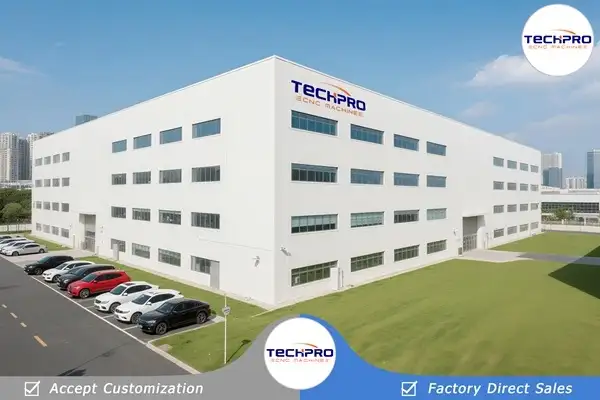
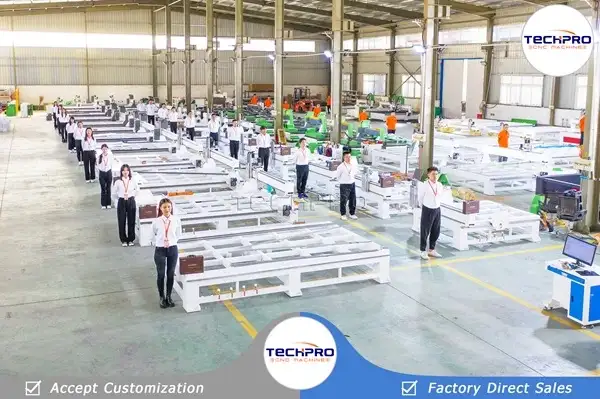
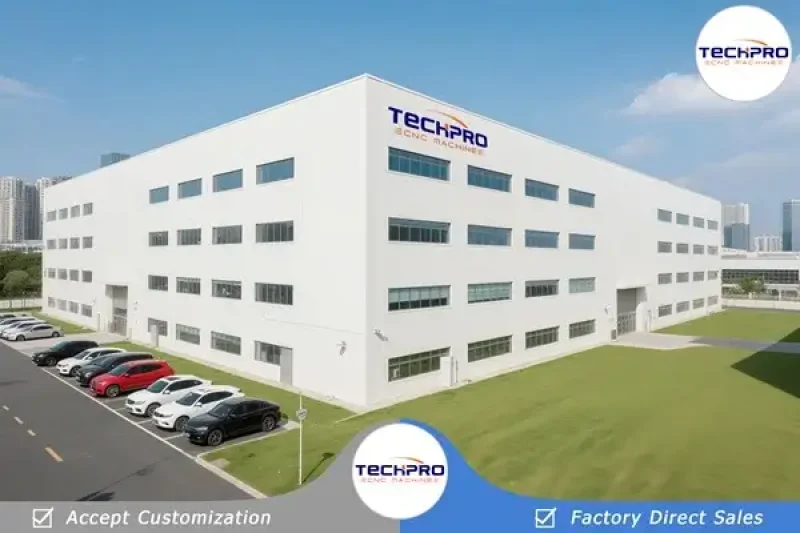
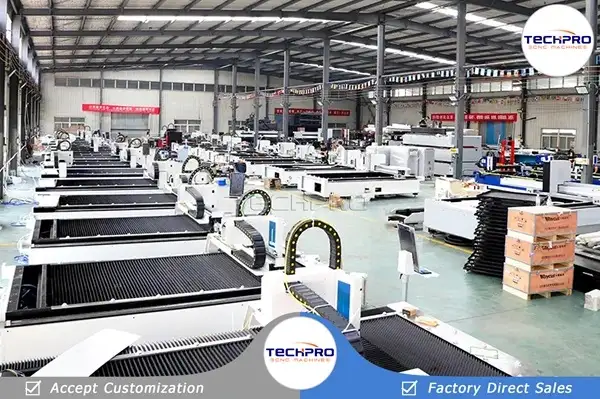
factory of techpro cnc machinery
cnc router factory of techpro cnc manufacturers
× TechPro CNC

Contact us for a free quote!

Comercial

Tel: (86) 17686683792

×
Get a Quote

For any inquiries, don't hesitate to contact us at:

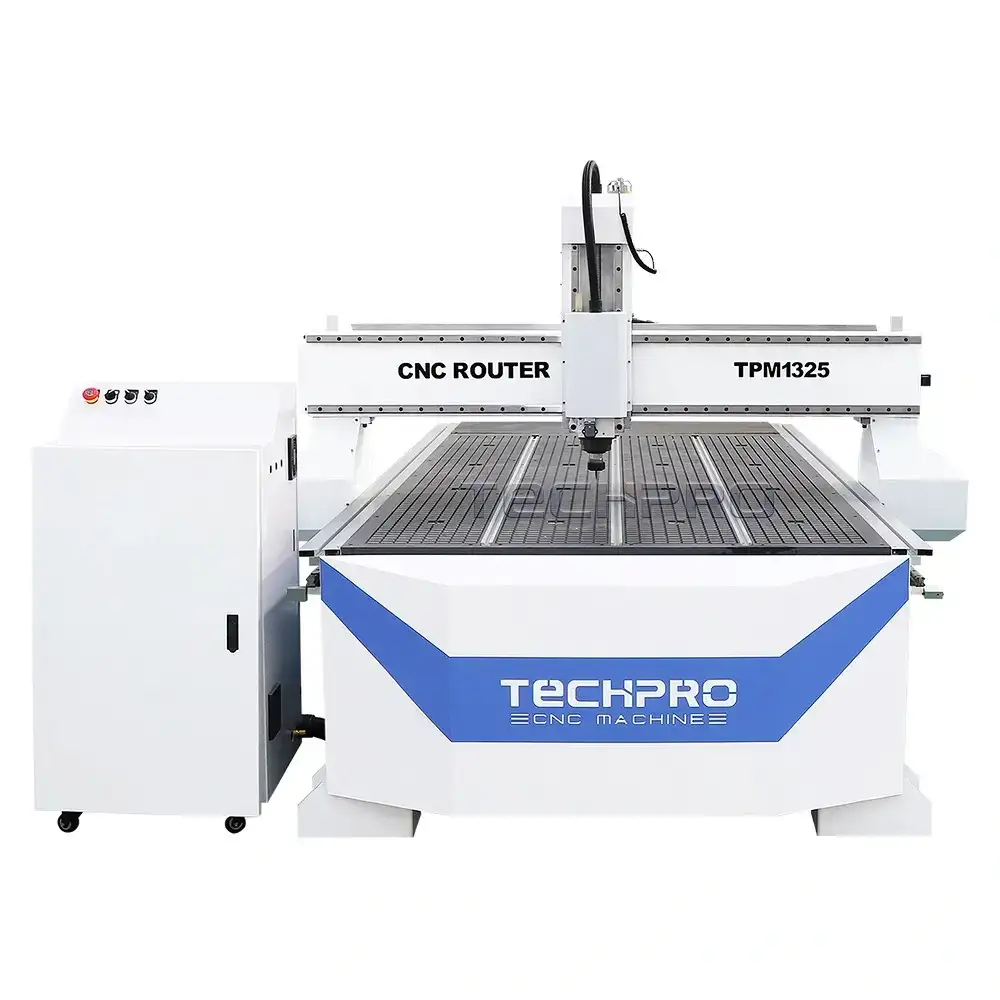
CNC Wood Router Kits for Woodworking 1325
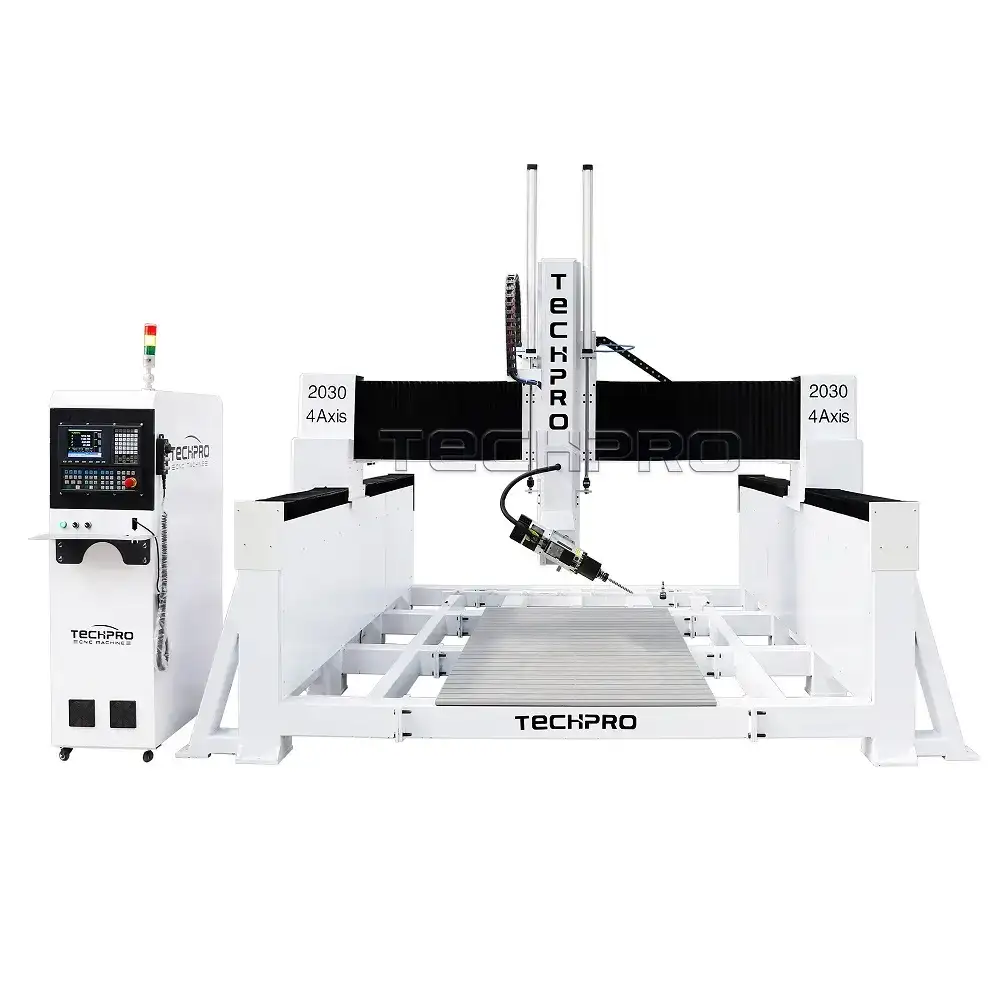
Wood CNC Router 2030 for Sale
Samples
Get the latest offers

Get CNC Machine Quote!

TPLogo