If you are passionate about creating crafts from wood or other materials, it would be wise to purchase an inexpensive hobbyist CNC router. This machine surpasses conventional hand tools and will not only improve your craftsmanship, but also save you time and effort. It is capable of producing intricate circuit boards, fine molds, custom gifts, logos and personalized labels. Whether you are a hobbyist or a small shop owner, this machine will help you realize your creativity and improve your crafting skills.
A hobby CNC router presents a compelling opportunity for individuals who are considering starting their own business, whether as a full-time endeavor or a profitable side hustle. A small CNC router will certainly perform extremely well whether you are taking on a do-it-yourself project, developing a low-cost start-up, or increasing your manufacturing capabilities.
Our sales staff is offered to provide you with one of the most reliable option in the shortest feasible time if you are considering acquiring a service CNC router kit at a reasonable price.
Definition
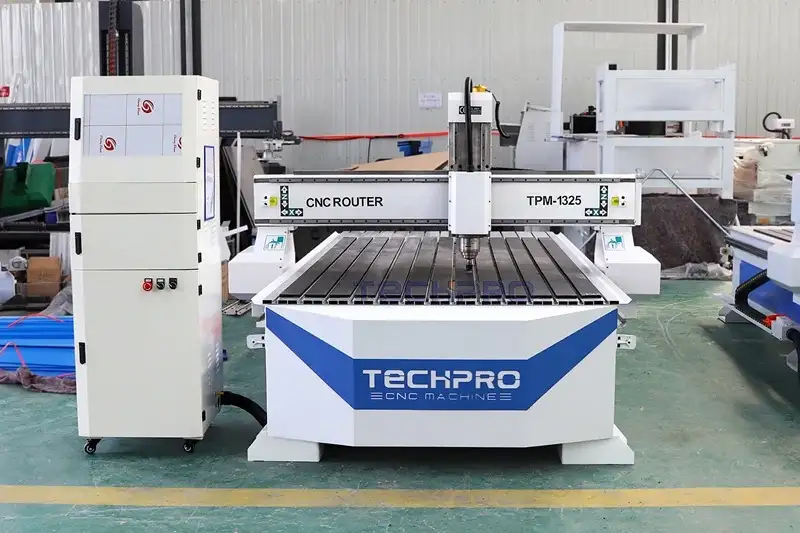
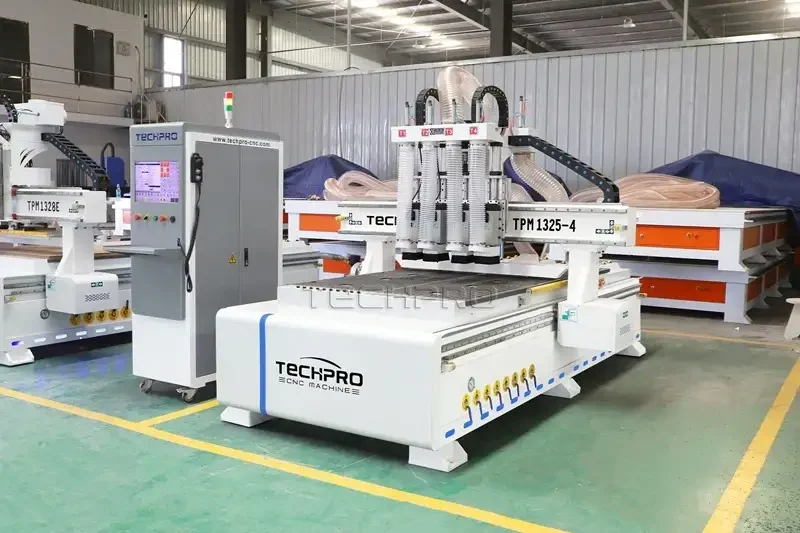
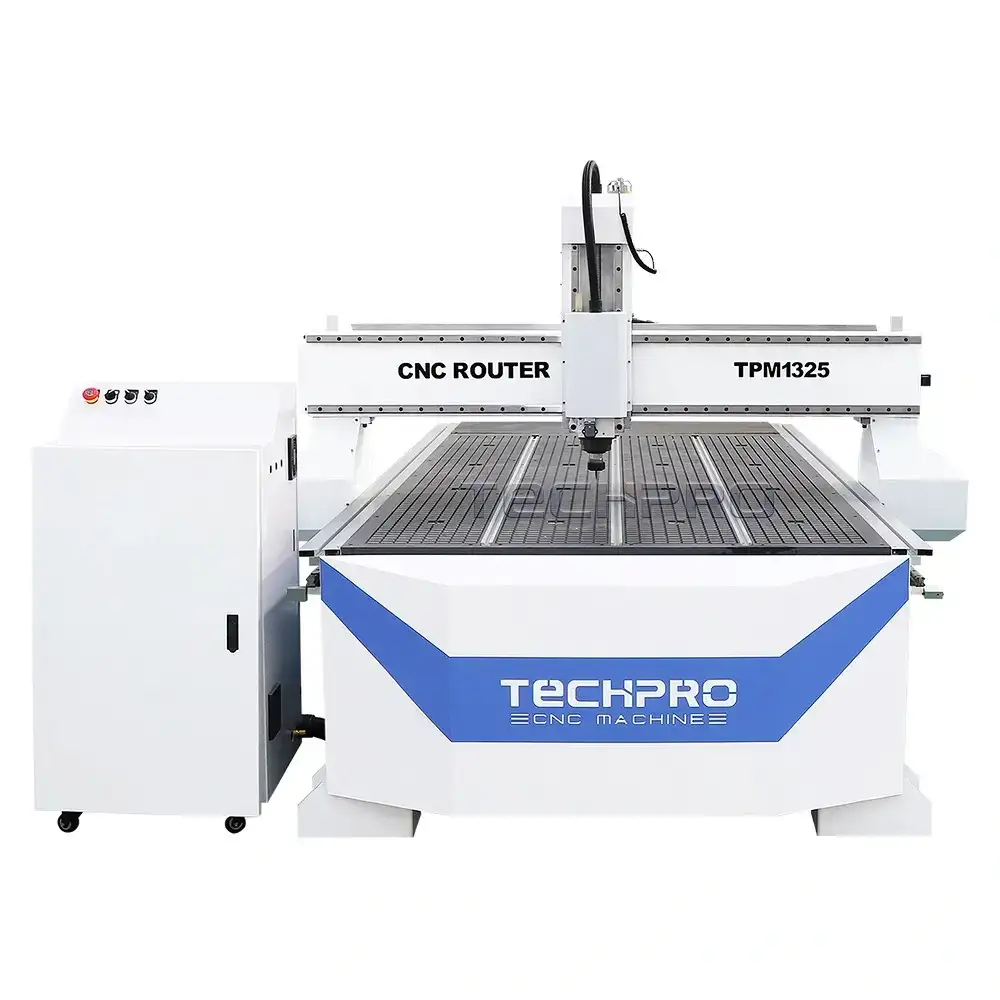
Hobby CNC router, also known as small CNC router, desktop CNC router, mini CNC router, home CNC router, advertising CNC router, has compact structure and small size. Small CNC router uses improved industrial numerical control operation software and typesetting processing software, stable and reliable, and the operation becomes extremely simple. Non-professionals can quickly learn to use hobby CNC machine. Because hobby CNC router pattern is formed by the dot-engraving method, the handwriting does not need to be processed separately, and the fine, exquisite and precise effect can be completed at one time.
Types
There are several types of hobby CNC routers, each suited to different applications and user needs. These types include small, micro, desktop, benchtop, tabletop and portable. Each type and its typical applications are described in more detail below:
Small Hobby CNC Routers
Applications: Small CNC router kits are ideal for intricate designs and fine machining, and are well suited for jewelry making, small model making and complex wood carving processes. Their small size makes them ideal for hobbyists with limited work space.
Mini Hobby CNC Routers
Applications: Mini CNC machines are suitable for light responsibility jobs such as labeling, indicator making and small art projects. They are often used in schools to teach CNC basics and are ideal for beginners who want to try CNC machining without a large financial investment.
Desktop Type.
Applications: Desktop CNC routers are created to be functional and can machine a variety of materials consisting of wood, plastics and soft steels. They are typically used to make personalized furniture, attractive things and tags.
Benchtop Type
Applications: Benchtop CNC routers are extra powerful and accurate for more demanding jobs such as cabinetry, large scale modeling and in-depth woodworking.
Tabletop Type
Applications: Tabletop CNC routers are suitable for medium-sized projects and are ideal for making signs, cutting parts for DIY projects and creating custom home décor. They offer a good balance of size and functionality and are a favorite for home studios.
Portable Type
Applications: These types of CNC routers are portable and can be worked on-site, making them useful for repair work, on-site work and temporary setups. They are often used by craftsmen who need to take their tools to different locations for setups or repairs.
How Many Size Of Hobby CNC Router?
Affordable hobby CNC router table have model: TPM6060, TPM6090, TPM6012, TPM9015, TPM1212, and working table size: 600*600mm, 600*900mm, 600*1200mm, 900*1500mm, 1200*1200mm. maybe some regions describe cnc router table size with feet: 2×2ft, 2×3ft, 2×4ft, 3×5ft, 4×4ft CNC router etc. We also accept custom hobby CNC table sizes, then can meet customer needs.
Features
- Equipped with precision linear guideways designed for automated CNC machine tools. Pre-tightened sliders provide excellent rigidity and eliminate clearance for precise operation.
- Synchronized anti-interference design integrates software and hardware solutions. It consists of a high-performance industrial computer motherboard to ensure reliable and safe system operation. Advanced 3D intelligent predictive algorithms improve high-speed efficiency and maintain accuracy in both curved and linear motion.
- The sturdy frame, made of world-class lightweight aluminum or steel, reduces resonance and ensures stability during complicated cuts.
- Versatile work area with generous X, Y and Z-axis travel to accommodate projects of all sizes, ideal for fine engraving and 3-D relief work.
- Driven by a spindle with variable speed control for efficient cutting of a wide variety of materials, including wood, plastics and soft metals.
- Driven by precision stepper motors or servomotors to ensure accurate positioning and repeatability of complex shapes.
- Straightforward control system with intuitive user interface alternatives, including touch screen and computer connectivity, compatible with leading CAD/CAM software for smooth layout and toolpath generation.
- Safety is paramount with an easy-to-use emergency stop button and built-in limit switches to prevent overstretching and protect the operator.
- Made for very easy assembly, the unit features a thorough user manual and is backed by a dedicated customer support group and active neighborhood for ongoing support and troubleshooting.
- Optional features include a dust collection function to keep the workspace clean, and a touch-trigger probe for accurate workpiece setup and tool offset measurement.
Applications
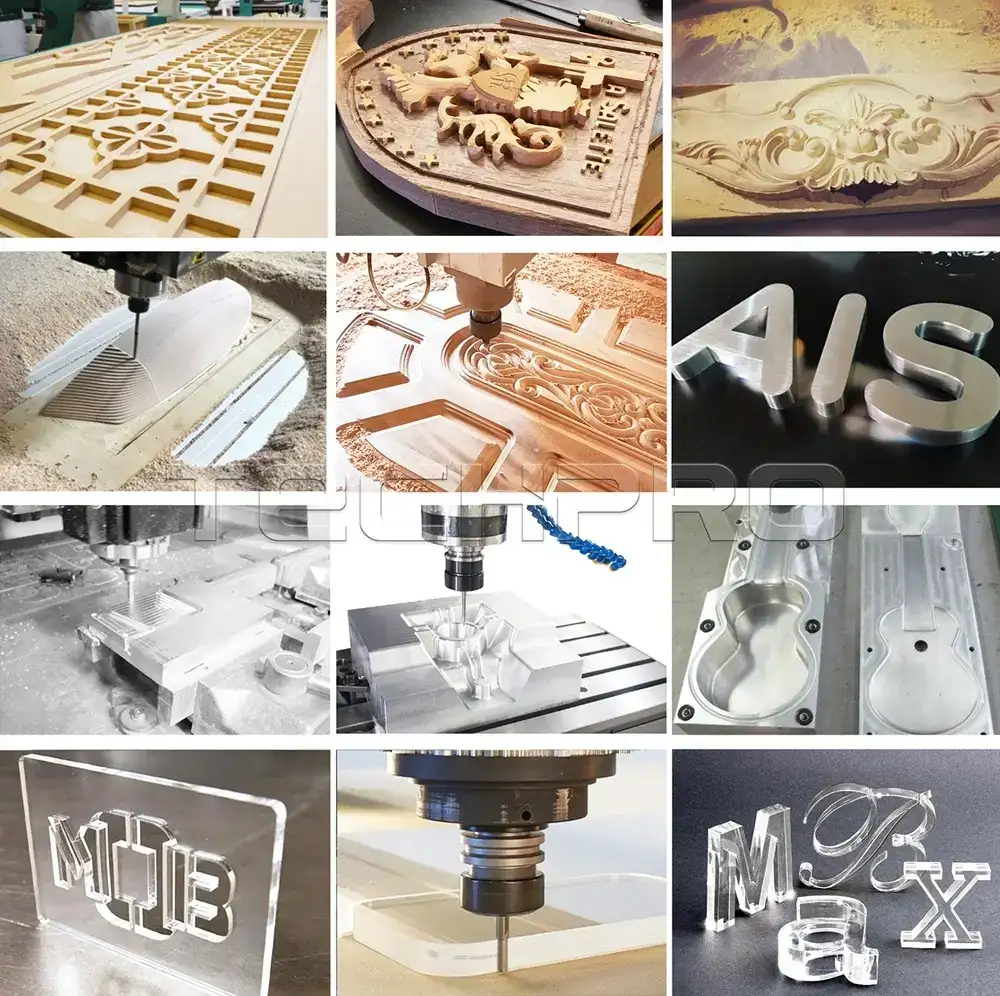
Hobbyist CNC routers are versatile tools that are widely used in small businesses, home workshops, artisans and hobbyists. They excel in producing fine work in advertising, woodworking, signs, logos, letters, numbers, arts, crafts, modeling, badges, emblems, display boards, furniture and decorative items.
Woodworking
Great for wood doors, furniture, windows, tables, chairs, cabinets, panels, 3D wave boards, MDF projects, computer desks and musical instruments.
Advertising
Ideal for creating billboards, logos, signs, 3D figure silhouettes, acrylic silhouettes, LED/neon troughs, letter hole silhouettes, light box molds, stamps and dies.
Arts & Crafts
Ideal for creating intricate artwork, sculptures, personalized gifts, jewelry and custom decorations.
Model Making
For easily creating accurate architectural models, scale models and prototypes.
Signage
Create custom signs with intricate designs and fonts for homes, businesses and events.
Engraving
Engrave detailed designs, images or text on wood, plastic or metal for personalized gifts and awards.
Educational Programs
An important tool for teaching design, engineering and manufacturing through hands-on experience.
Home Decor
Create unique home décor items such as wall art, clocks and kitchen utensils to add a personal touch to a space.
Puzzles and Game Pieces
Design custom puzzles and board game pieces for personalized entertainment.
Car and RC Parts
Produce custom parts for automotive projects or RC cars, including body panels and brackets.
Musical Instrument Fabrication
Produces precision parts for musical instruments, such as guitar bodies and violin parts.
Specifications
Specification | Details |
Brand | TechPro |
Types | Smal, Minil, Desktop, Benchtop, Tabletop, Portable |
Model Options | TPM6060, TPM6090, TPM6012, TPM9015, TPM1212 |
Table Sizes | 600x600mm (2x2ft), 600x900mm (2x3ft), 600x1200mm (2x4ft), 900x1500mm (3x5ft), 1200x1200mm (4x4ft) |
Features | High Precision, Constant Torque Spindle, Easy Operation, Heavy-Duty Construction |
Applications | Advertising, Seal Making, Handicrafts, Mold Processing |
Control Systems | DSP Control, PC Control |
Spindle Speed | 0 to 30,000 rpm |
Motor | High-power motor recommended for high-hardness materials |
Construction | High-rigidity frame, full welding, vibration aging treatment |
Maintenance | Ventilation Required, Limit Continuous Use, Regular Lubrication, Clean Cooling System |
Precautions | Use appropriate tools, stable power supply, avoid strong interference environments |
Price Range | $2,480.00 − $20,000.00 |
Costs
The cost of a hobby CNC router machine consists mainly of the mechanical structure, drive system, spindle and control system. In addition, power supply and electrical components such as power modules, cabling and connectors are also essential parts that need to be taken into account if you are trying to DIY a cheap hobby CNC router machine.
When you make a purchase at TechPro, you can typically purchase a basic mini CNC router tablt kit for as little as $2,900. If you are looking to purchase a used hobby CNC router machine, then the price will be around $850 to $2000 depending on the configuration of the machine you need. You can consult our sales team and we will make a detailed list of quotes based on your needs (this service is free).
If you are purchasing from China, you should also consider the cost of shipping the machine in addition to the price of the machine. Generally, the manufacturer will calculate the price based on the size and weight of your machine and the location of the shipment, and give you a quotation including the cost of the machine, shipping costs, customs clearance fees, and a list of items.
Pros & Cons
Hobbyist CNC routers have actually ended up being a staple for making the elaborate wood crafts, artwork, decorative products, and marketing displays that we see every day. They deliver speed and accuracy that cannot be matched by hand cutting. So what makes these machines so advantageous?
Pros.
Less Costly Investment, Quicker Results: Making fine sculptures and designs by hand is a time-consuming task that requires skilled craftsmen, who can be quite overpaid. CNC engraving machines are highly productive despite the initial investment. This means you can pay for yourself quickly while reducing the need for a large team of master engravers.
Exquisite Precision: CNC engravers are incredibly accurate and can create intricate layouts that would certainly be difficult to complete by hand. This precision translates into top-notch, professional-looking items every time.
Consistent Mass Production: Once a design is programmed into the machine, the same result can be replicated many times over. This is great for small companies that want to produce a variety of things with consistent, high quality.
Material Versatility: These systems are not limited to lumber. They can handle a variety of items such as plastics, foam, and even some steels, making them extremely versatile for different types of projects.
Creative Freedom: With the ability to create custom designs using CAD software applications, hobbyists and local business owners can bring their special concepts to life and provide their customers with customized items.
Cons.
Initial Investment: The upfront cost of purchasing a CNC router table kit can be high, especially when considering the necessary software and equipment.
Learning Curve: Understanding the procedure of a CNC router kit and its associated software application can be tough for amateurs. It spends some time and campaign to find out the skills needed to make the most of the equipment’s capabilities.
Regular Maintenance: Like any other tool, CNC routers require regular maintenance to keep them running effectively. This consists of cleaning, lubricating and sometimes replacing parts, which can be a headache for some consumers.
Limited Work Area: Enthusiast CNC routers typically have a smaller workspace than commercial machines, which can limit the size of projects you can take on.
Noise and Dust: Running a CNC router produces noise and dust, which means you’ll need a well-ventilated workspace and perhaps some soundproofing.
Software Expenses: While there are free software application options offered, high-quality CAD/CAM software applications are expensive and can add to the overall price of a CNC operation.
In conclusion, hobby CNC routers are a powerful tool for anyone interested in precision craftsmanship and design. While they do come with some challenges, their ability to produce high quality products quickly and efficiently makes them a worthwhile investment for many creative projects.
Purchasing Process
We will recommend the most suitable hobby CNC router machine for your specific requirements. Our team will assess your needs and develop the best solution for you.
After understanding your requirements, we will provide you with a detailed quote for the hobby CNC router kit. This will include the most suitable specifications, high quality accessories and a competitive price.
To avoid misunderstandings, both parties will thoroughly review and go over every detail, including technical parameters, specifications and commercial terms before moving forward.
We will send you a Proforma Invoice (PI) and sign the contract with you after you are satisfied with every detail.
We will start manufacturing your hobby CNC router table kit as soon as we receive your signed sales contract and deposit. We will provide you with the latest production information at every stage.
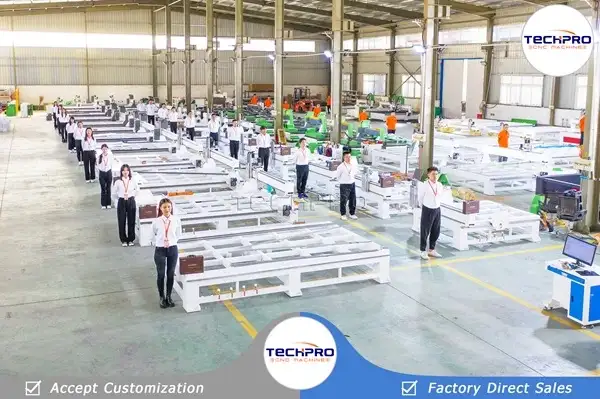
The whole production process will be subject to regular inspection and strict quality control. The whole machine will be tested before leaving the factory to ensure the best performance.
- Transportation and Delivery:
After your confirmation, we will arrange delivery according to the terms specified in the contract.
We will provide all the necessary shipping documents for the smooth customs clearance of your hobby CNC machine.
We provide professional technical support and free service by phone, email, Skype, WhatsApp, online live chat and remote service. In addition, we also provide door-to-door service in some areas to ensure your satisfaction and peace of mind.
Safety Guide
To ensure the longevity of the machine and the safety of the operator, operating a CNC hobby router machine requires care. The following safety precautions have been written by our technicians based on the characteristics of the machine:
Safety Precautions:
Axis Zeroing: To ensure accurate machining and to prevent accidental movement of the machine, reset the X, Y and Z axis coordinates to “0” after determining the hollowing position.
Speed Adjustment: To prevent tool breakage due to improper speed during operation, the speed of the router and spindle motor should be adjusted before machining.
Tool Mounting: To prevent incorrect cuts, securely mount all tools and cutter heads.
Material Securing: Secure the workpiece to the machine bed to prevent damage or accidents due to movement.
Work Area Setup: To prevent tripping hazards and avoid operator errors, keep the work area neat and organized.
Emergency Stop: The operator should be familiar with the emergency stop operation to minimize damage by stopping the machine in the event of an accident.
Protective Equipment: Wear appropriate equipment such as dust masks and safety glasses to protect yourself from noise and debris.
Pre-operation Inspection: To ensure safe and effective operation, inspect the machine for worn parts or loose bolts before each use.
Software Verification: Verify that the CNC software is set up correctly to ensure that the project has the correct tool path and settings.
Monitoring: To avoid accidents and ensure safety, monitor the machine in real time during use.
Installation and Operation
Step 1: Install the Machine
Warning: Make sure the machine is turned off during all operations.
Attaching the Control Box
Locate the main cable from the machine body and securely attach it to the designated port on the control box.
Setting Up the Machine
Place the CNC router table kit on a flat, stable work surface. This will reduce vibration and ensure proper operation.
Assembling the Frame
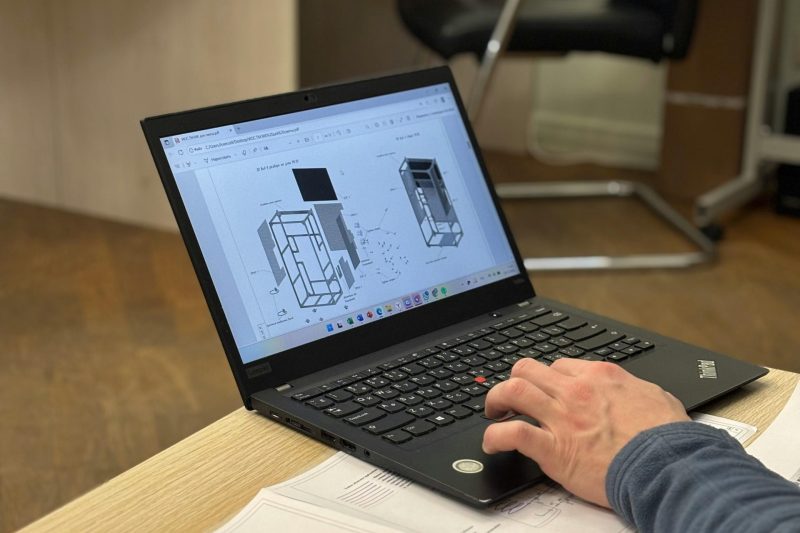
Make sure all joints and fasteners are secure before assembling the machine frame according to the assembly instructions.
Installing the Gantry
When installing the gantry, make sure it is correctly positioned in relation to the shaft rails. Test the movement of the gantry to ensure smooth operation.
Connect the Spindle and the Stepper Motor
Connect the stepper motor and spindle to the control box according to the wiring diagram, making sure that all connections are tight.
Connecting Power
To avoid power surges, use a surge protector and connect the control box to a grounded receptacle.
Step 2: Configure Software
Set up the CNC Software
To complete the setup, download the CNC software to your PC and follow the installation instructions.
Connect to the Computer
Use an Ethernet or USB cable to connect the CNC machine to the computer, then verify the connection in the software configuration.
Step 3: Preliminary Setup
Turn on the Machine
After making sure that all connections are correct, turn on the CNC machine.
Putting the Machine in Place
Use the software to home the machine to ensure the router head is correctly positioned at the start point.
Test Axis Motion
Manually test each axis to ensure smooth and accurate motion.
Step 4: Tool Setup
Setting up the Router Head
Select the proper cutterhead for your project and attach it to the spindle, making sure it is tight.
Setting the Tool Height
Adjust the tool height using the touch pad or manual method to ensure accuracy.
Step 5: Operation
Load the Design File
Open the design file in the CNC software to verify dimensions and toolpaths.
Secure the Material
Clamp the material on the table and make sure it is flat and stable.
Start Machining
Start the cutting process through the software, closely monitoring the machine for any problems.
Step 6: After the Operation
Turn Off the Power to the Machine
When processing is complete, turn off the machine and disconnect the power.
Removing the Material
Carefully remove the finished product from the table.
Cleaning the Machine
Remove dust and debris to maintain machine performance.
Troubleshooting
1. Alarm System Errors
An overtravel alarm occurs when the unit reaches its operating limit. To correct this problem, follow the steps below:
1.1. Confirm that the design dimensions are not outside the machining range of the machine.
1.2. Check for a loose connection between the equipment’s electric motor shaft and the lead screw. Tighten the screw if necessary.
1.3. Make sure that the machine and the computer are properly grounded.
1.4. Check that the current coordinate values are not outside the limits of the software application.
2. Overtravel Alarm and Trip
During an overshoot, all motion axes will immediately change to the pointing setting. Resetting the Approach
2.1. 2.1. Continuously press the hands-on direction essential up until the maker moves far from the limit placement (over-travel point switch) to bring the motion state back.
2.2. Carefully control the direction of the table movement to avoid extreme settings.
2.3. Clear the soft limit alarm by resetting the XYZ coordinates in the setup.
3. Non-Alarm Errors
3.1. Describe Tip 2 in Section 1 for Repeatable Machining Accuracy.
3.2. If the computer system runs but the machine stops, check and secure the connection between the computer system control card and the electrical box.
3.3. If the manufacturer does not detect a signal when returning to the home position, follow the instructions in section 2.
3.4. Check the machine home proximity switch for faults
4. Output Faults.
4.1. If there is no result, check that the connection between the computer system and the control box is protected.
4.2. Check the Room Schedule settings in the Process Manager. Remove extra documents if necessary.
4.3. Check for loose signal cable connections and make sure all cables are properly connected.
5. Processing Fails
5.1. Check that all screws are tight.
5.2. Check the accuracy of the machining path.
5.3. Make sure that the document dimensions are not too large, as this could result in a handling error.
5.4. Readjust the pin speed (usually 8000-24000 rpm) for different products.
5.5. Loosen the chuck, rotate the device in one direction and clamp it to keep the engraving smooth.
5.6. Inspect the tool for damage, replace the tool if necessary and re-engrave the items.