EN
EN  TR
TR  FR
FR  DE
DE  VI
VI  IT
IT  NL
NL  AF
AF  KO
KO  ES
ES  PL
PL  ID
ID  JA
JA  RU
RU  HI
HI  DA
DA  FI
FI  TH
TH  ZH-TW
ZH-TW  BG
BG  CS
CS  HE
HE  AR
AR  PT
PT  SV
SV  HU
HU  HR
HR  SK
SK  NB
NB This guide is designed to give you a thorough understanding of the CNC router machine, its capabilities, and how to get started. Whether you’re an enthusiast, a do-it-yourself fanatic, or an expert seeking to gain insight right into the capacity of modern manufacturing, we can assist you in picking out the right equipment and guide you through the process of safely launching your first project.
CNC router machine has actually transformed the means we develop and generate components, from woodworking and metalworking to developing sophisticated prototypes, these equipment use accuracy and effectiveness that manual machining cannot match. We’ll break down everything you need to know to confidently master the basics of the CNC router. Includes the basics of the CNC router, how it works, types of machines, uses, operating instructions, and functional suggestions for starting your first project.
What is CNC Router Machine
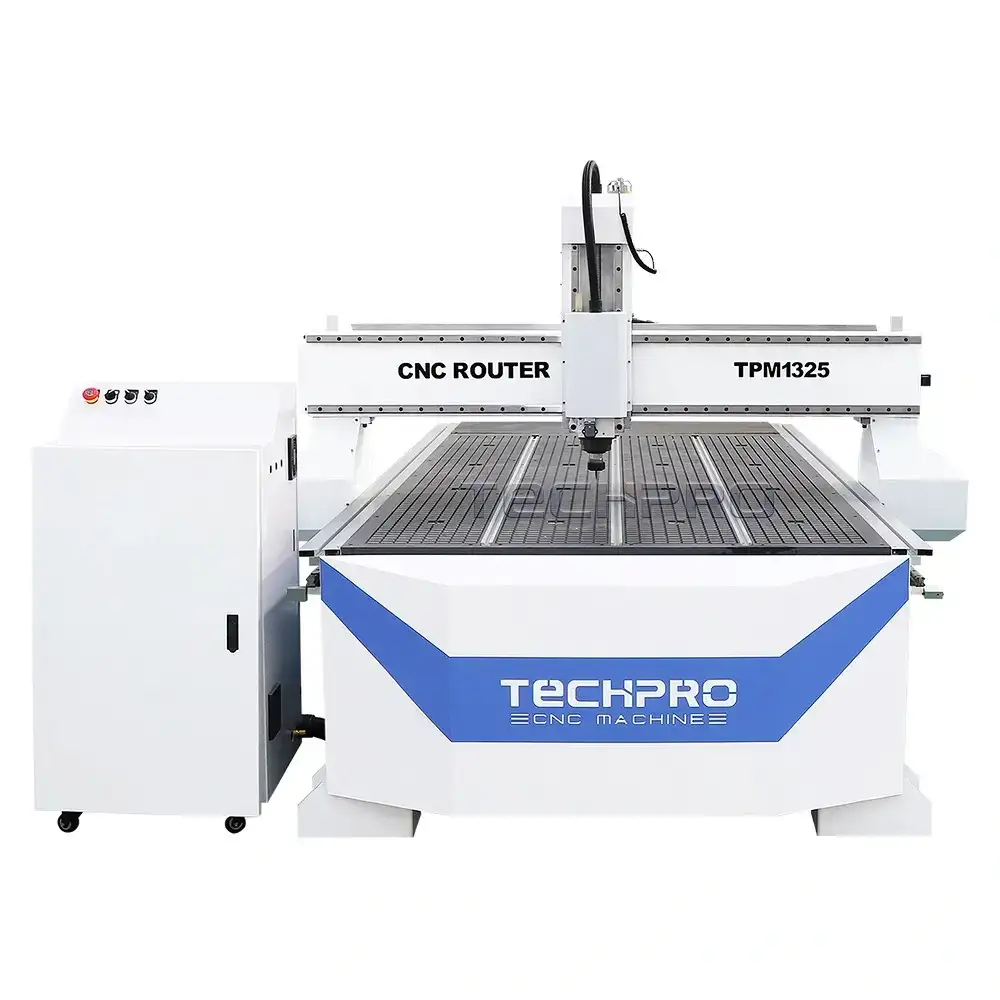
A CNC router machine is a machine tool controlled by a CNC system that automatically cuts, engraves and shapes materials such as wood, metal, plastic and foam. These machines attain accurate machining results by utilizing CAD/CAM software-generated commands to lead the machine’s movements. Unlike hands-on techniques, CNC routers remove human mistake and are qualified of high precision machining with mistake rates as reduced as one thousandth of an inch. They are versatile and can be used to produce complex styles, furniture, prototypes, signs and even crafts. They are vital devices for woodworking, metalworking, prototyping, and so on.
Types of CNC Router Machine and Related Equipment
1. CNC Engraving Machine
- CNC Engraving Machine: a general purpose computer controlled engraving machine used to cut a variety of materials.
- Woodworking CNC Engraving Machine: designed for woodworking applications such as furniture, cabinets and intricate designs.
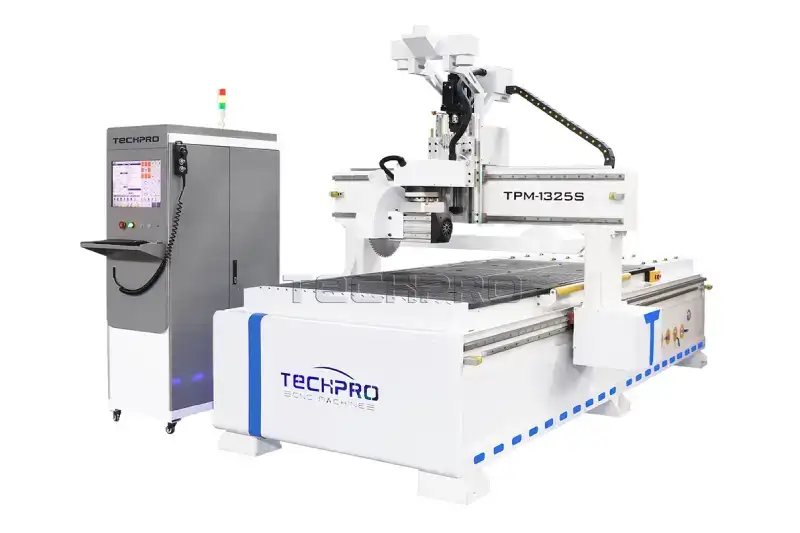
- ATC CNC Engraving Machine (Automatic Tool Changer): Equipped with a tool changer system to increase productivity through automatic tool switching.
- Hobby CNC Engraving Machine: Compact and cost-effective CNC engraving machine for hobbyists and small-scale projects.
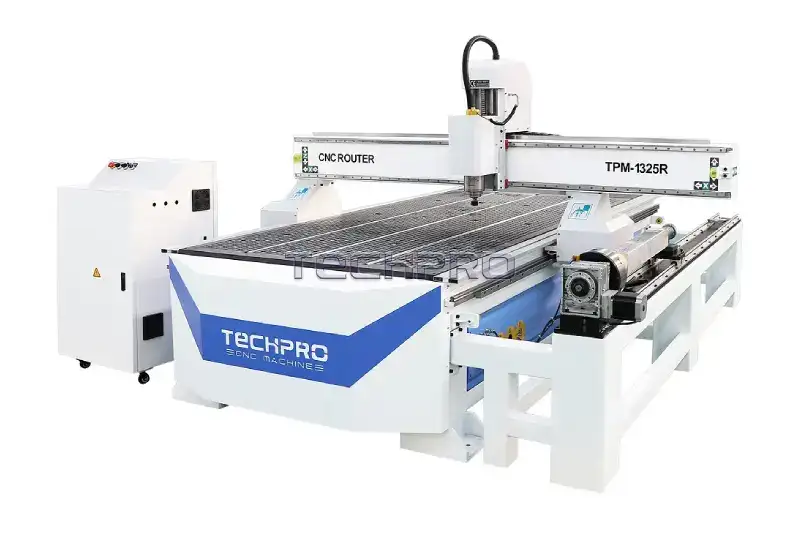
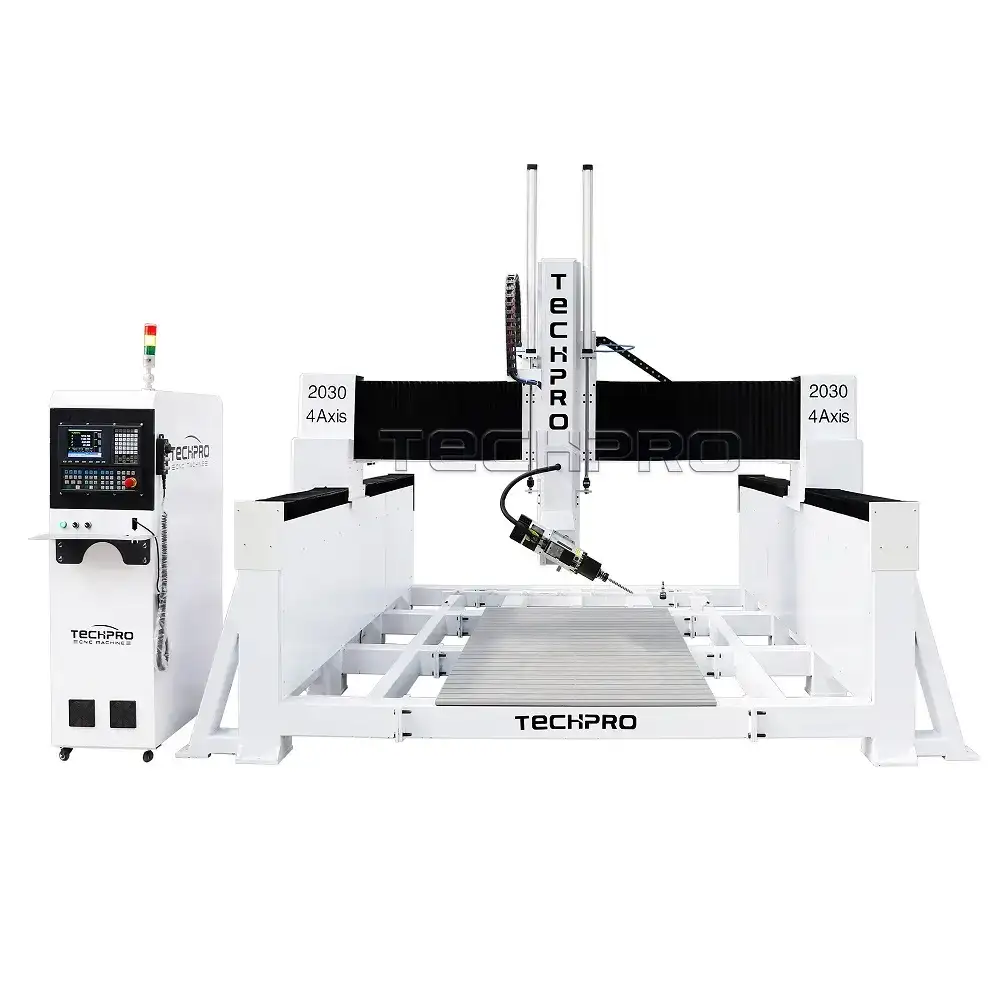
- 4-Axis CNC Engraving Machine: Includes a rotary axis for more complex engraving and machining tasks.
- 5-Axis CNC Engraving Machine: Moves in five different directions, ideal for complex 3D shapes and high precision work.
- Stone CNC Engraving Machine: designed for engraving and cutting hard materials such as marble, granite and stone.
2. Panel Furniture Processing Equipment
- Panel Furniture Processing Equipment: designed for efficient processing of panel furniture.
- Edge Banding Machine: used to apply edge banding to furniture panels for a polished finish.
- Board & Beam Saw: designed for high precision board cutting for woodworking.
- Sliding Table Saws: multifunctional saws for precise cutting of wood and panels.
- Side Hole Drilling Machines: for drilling side holes in panelized furniture components.
- Boring Machines: for making precise holes for joinery or hardware installation.
- Presses: for pressing and laminating processes in panelized furniture manufacturing.
3. Laser Machines
- Laser Cutting Machines: For precise cutting of various materials using laser technology.
- CO2 Non-Metal Laser Cutting Machine: Used for cutting non-metal materials such as wood, acrylic and leather.
- CO2 Metal Laser Cutting Machine: can cut metal and non-metal materials.
- Fiber Laser Cutting Machines: Dedicated to cutting metals such as stainless steel, aluminum and brass.
- Laser Welding Machines: For precision welding of metals and alloys.
- Laser Cleaning Machines: use lasers to remove rust, paint or contaminants from surfaces.
- Laser Marking Machines: For engraving or marking logos, barcodes or text on surfaces.
- Fiber Laser Marking: For high precision marking of metals and plastics.
- CO2 Laser Marking: for marking non-metallic materials such as wood, acrylic and leather.
4. Channel Letter Bender
- Used for making metal channel letters for signage and advertising.
5. Plasma Cutting Machine
- Uses a plasma torch to cut metal for thicker and conductive materials.
6. CNC Knife Cutting Machine
- Designed to cut soft materials such as foam, cardboard, fabric and leather with a precise knife system.
How CNC Router Machine Works
The CNC Router Machine is a precision machine capable of cutting, engraving or shaping materials along multiple axes. The following is a systematic summary of its working principle from a professional point of view:
Production of Design Documents
Design File: Using computer-aided design (CAD) software, designers can create a variety of complex design patterns to provide blueprints for subsequent processing.
Conversion to G-code
CAM Software to Generate G Code: design files are completed, the CAD file directly into the computer-aided manufacturing (WEB CAM) software program, the program can be converted to the style file G code, that is, the CNC router “command language” for the control of the tool’s movement path, speed and direction.
Machine Setup
Material Alignment: The product to be machined is placed on the table of the CNC engraving machine and held firmly in place with a jig or vacuum table to ensure that the product does not move during the machining process.
Tool Selection: According to the material characteristics and processing requirements, select the ideal cutting tool (such as milling cutter or engraving cutter) and install it correctly on the spindle of the CNC engraving machine.
Calibration and Zeroing
First Calibrate the Position: Before machining, the operator must calibrate the machine to ensure that the tool starts from the exact position.
Absolute Zero Setting: Increase machining efficiency by setting a starting point (absolutely no factor) on the product surface as a reference point for the CNC router.
CNC Router Operation
Load G-code: The generated G-code is sent to the CNC router’s control system, which examines it and converts it directly into detailed operating instructions.
Motion Control: The CNC router uses electric motors (e.g. stepper motors or servo motors) to drive the tool along several axes.
- X-axis, Y-axis: Controls horizontal and vertical movement.
- Z-axis: Controls the depth of cut of the tool.
Deceleration Operation: The spindle rotates at high speed, driving the tool to follow a set path, making contact with the material and removing excess to complete the process.
Tracking and Adjustment.
Real-time Tracking and Adjustment:
During the machining process, the operator can monitor the cutting process in real time through the control panel. If abnormalities are found, parameters such as feed rate, spindle speed or depth of cut can be adjusted to improve machining results.
Finishing and Post-processing.
End Cycle: CNC router machine stops automatically after finishing the machining task.
Getting the Finished Product: After machining is completed, the material is removed from the table. According to the detail requirements, the finished product can be finely ground, polished or constructed and other subsequent processing to improve the top quality of the product.
Advantages of CNC Router Machine
High Precision: The CNC router manufacturer has the ability to achieve very high accuracy and repeatability during machining to meet the high demand for premium.
High Efficiency: The device supports continuous machining, which significantly reduces manufacturing time and improves performance compared to typical manual operations.
Ability to Handle Complicated Designs: CNC routers can handle intricate styles and are particularly suited for work that requires incredibly sophisticated procedures.
How Much is a CNC Router Machine
CNC Router Machine costs vary widely depending on the type of machine, its features, its size, its material compatibility and its brand. Here is a rough price range for the different types of CNC machines from TechPro:
1. Entry-level or Hobby CNC Router
- Cost range: 1,000–5,000
- More information:
- Suitable for hobbyists, DIY projects or small-scale applications.
- Usually compact in design with limited power and cutting capacity.
- Example: a benchtop CNC router for woodworking or engraving.
2. Standard CNC Router
- Cost range: 2,000–20,000
- More information:
- Designed for small and medium-sized businesses.
- Can handle a wide range of materials such as wood, plastics and soft metals.
- Often equipped with features such as a vacuum table or dust collection system.
3. ATC CNC Router (Automatic Tool Changer)
- Cost range: 2,580–50,000+
- Detailed information:
- Suitable for high-volume production environments that require frequent tool changes.
- Saves a lot of time when used for complex tasks involving multiple tools.
- Usually larger and more durable than standard CNC routers.
4. 4-axis CNC Router
- Cost range: 2,800–60,000+
- Detailed information:
- Includes a rotary axis for 3D engraving or cylindrical object engraving.
- Often used in furniture design, sculpture and surface machining.
5. 5-axis CNC Router
- Cost range: 16,000–150,000+
- Details:
- Advanced machines capable of producing complex 3D shapes and high-precision parts.
- Often used in industries such as aerospace, automotive and mould making.
- Due to the complexity of the technology, the cost is also higher.
6. Stone CNC Router
- Cost range: 3,800–70,000+
- More information:
- Used to cut and engrave hard materials such as marble, granite and stone.
- Requires a sturdy frame and water cooling system to handle the heavy workload.
7. Industrial or Custom CNC Router
- Cost range: 10,000–500,000+
- More information:
- Designed for mass production and heavy machining.
- Can be fully customized to meet specific industrial needs.
Factors that Affect the Cost of a CNC Router:
- Size: Machines with larger work areas are more expensive.
- Power: The higher the spindle power and cutting speed, the higher the cost.
- Functional features: Additional devices, such as tool changers, vacuum tables or rotary axes, all add to the cost.
- Brand name: Well-known brands usually charge more for reliability, service and support.
- Software: Some machines include proprietary software, which can increase costs.
- Material compatibility: Machines that can handle harder materials (such as metal and stone) are usually more expensive.
If you need help finding the right machine within a specific budget or need detailed examples, please feel free to ask!
Applications of CNC Router Machine
CNC routers are widely used in many industries for cutting, shaping, marking and milling. They are digitally controlled by a computer system and can perform difficult machining tasks with extremely high accuracy and repeatability. The machine operates according to set instructions, guiding the cutting tool along a defined path, making it suitable for both detailed styles and mass production.
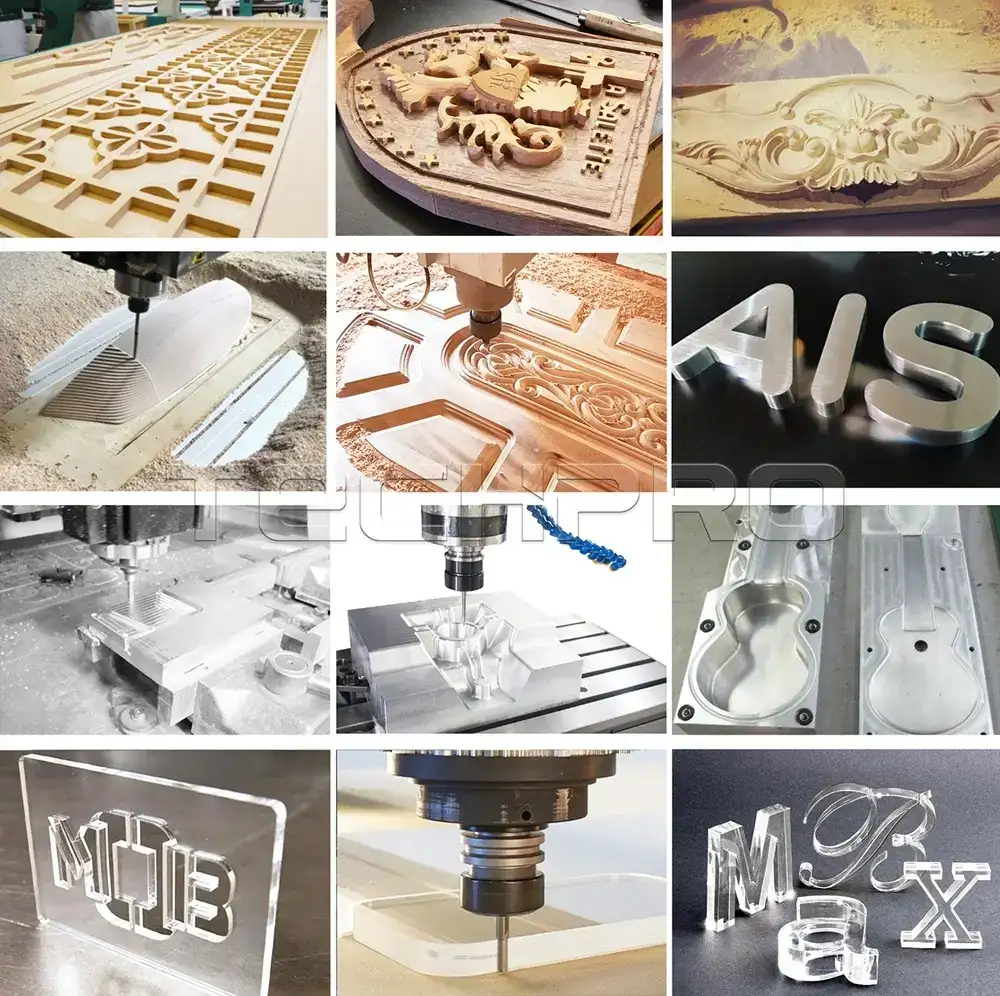
In woodworking, CNC routers play a vital role in the production of furniture, cabinets and decorations, and can produce fine engravings and inlays that are difficult or impossible to achieve by hand. Similarly, in metalworking, CNC routers are used for part manufacturing, surface engraving and precision sheet metal cutting.
The range of applications for CNC routers is not limited to wood and metal, but also includes materials such as acrylic, plastic, foam and composite materials. CNC router machines are indispensable in sign making, where they can be used to create three-dimensional signs, complex fonts and custom logos.
In addition to commercial applications, CNC routers can also be made use of in the arts. Craftsmen depend on them to create sculptures, decorative patterns and 3D art installments. These machines are also used in academic atmospheres to show the concepts of CNC machining and give students hands-on experience with modern-day production processes.
The advantages of CNC routers lie in their ability to produce consistent results, reduce production times and minimize waste. They can be used for small-scale custom manufacturing as well as large-scale industrial production. Combining precision, efficiency and flexibility, CNC routers have become essential tools in industries ranging from manufacturing and construction to art and design. Their continued development and integration into modern workflows underlines their importance in meeting the needs of a rapidly changing market.
How Does a Beginner Use a CNC Router Machine?
The CNC router operates via computerized digital control and can accurately machine a wide range of materials such as wood, aluminum, stone, plastics, composites and foam. It uses a 3-axis CNC bit to shape parts by removing portions of material from them by moving them simultaneously along the X, Y, and Z axes.
Let’s take a look at the basic skills a beginner needs to operate a TechPro CNC router.
Step 1: Start the CNC Router
Before you begin, make sure you have all the necessary components connected:
- Turn on the CNC controller located on the wall using the ON/OFF switch.
- Press the start button (green) on the machine to activate the remote control.
- Open the dust collector (don’t forget to check the dust bag).
- Finally, press the button (white) that starts the vacuum table to complete the start-up of the machine.
Step 2: Selecting the End Mills – Introduction
When starting a project with a CNC router, you will encounter various types of inserts known as end mills. Understanding these inserts is critical. Here are the main points you should have before starting your first project:
- Number of flutes.
- End mill shapes: flat, ball, and V-tip.
- Size.
Step 3: Selecting an End Mill – Understanding Flutes
Fluted end Mills
Cutter flutes come in two- and four-flute versions, each of which has its own specific purpose. The difference between a four flute end mill and a two flute end mill is similar to the difference between a miter saw and a hacksaw. A miter saw has fewer and larger teeth for softer materials like wood, while a hacksaw has finer teeth for cutting harder materials. Keep in mind: four-flute end mills are good for harder materials (such as aluminum, redwood, and plastic), while two-flute end mills are best for softer materials (such as MDF, plywood, and cedar).
Step 4: Choosing an End Mill – Shape
In addition to the number of flutes, end mills come in a variety of shapes:
- Flat (end mill): flat end mills are great for contour cutting, slotting or drilling.
- Ball nose: Round nose ball nose end mills are great for 3D surface machining, but not for contour cutting.
- V-Bits: Sharp V-bits excel at engraving and are especially good for lettering and intricate designs.
Note: If you stumble upon a unique bit not mentioned here, do not use it before consulting a TechPro store manager or CNC router expert.
Step 5: Replacing the Blade or End Mills
If the desired end mill is already mounted on the CNC machine, check its tightness by following the steps below:
- Secure the remote control to the stand to ensure that the spindle start button is not accidentally pressed.
- Carefully loosen the collet on the spindle using the two wrenches provided on the CNC milling machine table – be careful not to hurt your hands!
- Remove the old drill bit from the collet and place it in the toolbox.
- Insert the new end mill into the collet, making sure that most of the shank is clamped. For smaller end mills, push it in until it is about 2 mm from the start of the spiral.
- Retighten the nut/collet/end mill to the spindle, avoiding excessive force.
Step 6: Place the Workpiece on the Table
When you are ready to cut the material, check that all four vacuum zones are working properly (located under the MDF). If there are rubber strips around the edges of the vacuum zones, they will enhance the vacuum strength – this is essential for holding the workpiece firmly in place.
If the workpiece being processed is too small to fill the entire vacuum zone, use plastic plugs and shorter rubber strips to adjust.
Next, place the MDF board back on the vacuum table, place the workpiece on top, select the desired vacuum zone, and press the white button to initiate the vacuum.
Step 7: Setting the X and Y Axes
Now it’s time to set each axis to zero. Place the tip of the milling cutter on the surface in the upper left corner of the material. After confirming the new zero point, press [XY=0] and then [OK].
Step 8: Setting the Z-axis
You can set the Z-axis using one of the following two methods:
Paper Method
- Take a standard A4 sheet of paper and place it between the workpiece and the cutterhead.
- Carefully lower the Z-axis until it is about 5mm from the paper, then press [~] to switch to stepping motion.
- Move closer until the tip of the cutter just touches the paper. Then press [Shift] + [XY=0] and [OK] to set the zero point exactly 0.100mm from the surface.
Tool Sensor Method
- Place the tool sensor under the milling cutter head at the top of the material.
- Move the cutter head down to approximately 8-10mm above the sensor plate and press [Shift] + [~] to automatically set the zero point.
IMPORTANT: Always reset the Z-axis zero point coordinates when changing the cutterhead between milling operations. There is no need to reset the X and Y axis coordinates.
Step 9: Load File
You can now load the design files from your CAD/CAM software into the TechPro CNC controller via the flash drive.
Operating Instructions:
- Insert the flash drive into the card reader.
- Wait for the “Reading USB” message to appear.
- Press [OK].
- Use ▲▼◄► to navigate through the USB library to find your files.
- Press [OK] to upload, [1] to confirm.
- Put on your ear muffs and goggles.
- Finally, press Start [ ► ] to begin.
Step 10: Safety Guidelines
- Always wear goggles and ear muffs. Goggles and earplugs are provided in the workshop.
- Keep the work area clean and tidy, free of tools and clutter.
- Never leave the CNC router unattended. If you must leave it, have someone monitor it or suspend work.
- Do not place your hands or feet on the machine while it is running.
- Do not adjust or move material while the CNC Router is running.
- Use a dust collector or vacuum cleaner while the CNC router is operating.
By following these steps and safety guidelines, you will be able to successfully utilize your TechPro CNC Router.
What Can You Make with a CNC Router Machine
A CNC router machine is a versatile tool capable of making a variety of projects. Below are the available materials categorized by material:
Woodworking
- Furniture.
- Chairs, tables, cabinets, shelves and intricate woodwork designs.
- Signage
- Custom wood signs with engraved text and logos.
- Decorative Objects
- Wall art, wood sculptures and intricate panel designs.
- Toys
- Puzzles, playhouses and wooden games.
- Kitchenware
- Cutting boards, trays and cutlery.
Metalwork
- Parts and Accessories
- Gears, brackets and custom machine parts.
- Decorative Metalwork
- Metal signs, ornaments and jewelry.
- Prototypes
- Small metal prototypes for engineering and design.
Plastics and Composites
- Signage
- Acrylic signage with illumination.
- Prototypes
- Customized parts and prototypes for different industries.
- Decorations
- Plastic decorations and lightweight structures.
Foam and Flexible Materials
- Packaging Molds
- Custom molds for industrial or commercial packaging.
- Prototypes
- Large foam prototypes or models.
- Props and Set Design
- Lightweight components for theater, film and exhibitions.
Mixed Material Projects
- Inlay
- Combining wood, metal and resin for decorative effects.
- Customized Musical Instruments
- Unique instruments such as guitars or violins.
- Complex Assembly
- Projects that require a variety of materials and precise cutting.
Customized Applications
- Engraving
- Personalized items such as medals, trophies and awards.
- Architectural Models
- Detailed models for real estate or architectural displays.
- Electronic Device Enclosures
- Customized housings and panels for electronic devices.
Key Benefits
- Precision: produce complex and repeatable designs.
- Customized: customize designs to precise specifications.
- Efficient: produce multiple products in a fraction of the time compared to manual methods.
CNC router machine allows you to reduce production cost and increase productivity at the same time, whether you are a novice hobbyist or you want to upgrade your existing production line, contact our customer service, we will provide you with the best solution.
How to Choose CNC Router Machine?
There are many CNC routers on the market today, which makes it difficult for you to choose the right equipment. This is where TechPro comes in. We will recommend the right machine based on your specific needs, budget and the type of project you plan to implement, with the aim of saving you time and money. Here are the key considerations when buying a CNC router:
1. Define Your Needs
- Material type: Determine the type of material you will be processing (e.g. wood, plastic, aluminum, composite materials, etc.) to select the appropriate machine model and spindle.
- Project size: Assess the dimensions of the material to be processed to ensure that the machine can meet the processing requirements.
- Work complexity: Choose a 2D, 2.5D or 3D cutting machine according to the complexity of your project.
2. Machine Size and Workspace
- Bed size: Choose a machine with a large enough processing area to ensure that it can accommodate the material for your project.
- Work space: Plan the workshop layout to ensure that there is enough space to accommodate the machine and additional equipment, such as a vacuum table or dust collector.
3. Machine Type
- Table-top CNC router: suitable for small projects and lightweight materials, and compact in size.
- Industrial CNC router: powerful and suitable for heavy-duty professional projects.
4. Spindle Options
- Air-cooled spindle: low maintenance costs, suitable for light to medium machining tasks.
- Water-cooled spindle: quieter operation, suitable for long, high-load, simple machining jobs.
5. Controller and Software
- Controller compatibility: Choose a controller that is easy to use and supports common software.
- Software support: Ensure that the machine comes with user-friendly CAD design software and CAM machining software.
6. Precision and Stability
Choose a machine with the following features:
- High-precision stepper or servo motors.
- A sturdy body frame ensures operational stability.
- Precision ball screws or linear guides ensure high-precision movement.
7. Build Quality
- Robust steel or aluminum machine frames provide greater stability and durability.
8. Accessories and Upgrades
- Optional extras such as vacuum tables, automatic tool changers, dust collection systems, rotary axes and more can significantly enhance the functionality of the machine.
9. Budget Planning
- Set a realistic budget, taking into account the additional costs of tools, software, maintenance and accessories.
10. Brand Reputation and After-sales Support
- Brand reputation: Check reviews and testimonials to see how reliable the brand is.
- Warranty and support: Pay attention to the warranty terms and conditions as well as the availability of spare parts, technical support and training services.
11. Testing and Comparison
- If possible, visit a showroom or trade show to see the machine in action.
- Compare the performance, features and ease of use of different models.
12. Safety Features
- Make sure the machine has an emergency stop button, guards and other safety measures.
Do you need advice for a specific use case or budget? If you have any questions about the product, feel free to contact our sales staff and we can explain the CNC router machine online or demonstrate its operation remotely.